All Products

.svg)






Remote teams rarely struggle with a lack of tools, they struggle with too many disconnected ones.
According to a 2024 report by McKinsey, employees spend nearly 20% of their workweek searching for information or tracking down colleagues. That gap grows wider in distributed teams, where communication spreads across apps, devices, and time zones.
A standard business phone system doesn’t solve that problem. It often adds another layer to an already fragmented workflow.
Key Takeaways
- Remote teams need more than cloud calling: The best systems connect calls, CRM data, messaging, workflows, and performance tracking in one place.
- Basic VoIP tools create workflow gaps: Limited analytics, weak CRM integration, manual logging, and disconnected channels slow agents down.
- Operational platforms scale better: Real-time dashboards, AI analytics, routing logic, and automation help managers control distributed teams.
- CRM integration is essential: Click-to-call, screen pop-ups, and automatic logging keep customer context visible during every interaction.
- Omnichannel support reduces fragmentation: Voice, SMS, chat, WhatsApp, and social messaging work best when managed from one shared workspace.
- Platform fit depends on team type: BPOs, fintech sales teams, support teams, startups, and global enterprises need different levels of control and scalability.
- Low pricing can hide higher costs: Tool stacking, manual work, poor integrations, and weak visibility often cost more than the software itself.
- Trials should test real workflows: Evaluate routing, CRM sync, agent steps, dashboards, call analytics, and mobile access before choosing a provider.
- Bottom Line: Remote teams should choose a cloud phone system based on workflow execution, visibility, and scalability, not feature lists alone.
The Shift From PBX to Operational Platforms
Business communication has moved through three clear stages:
- Office-based PBX systems tied to physical locations
- Cloud phone systems enabling remote access
- Full contact center platforms built for distributed operations
Cloud PBX systems solved accessibility. They allowed teams to make and receive calls from anywhere. That shift mattered, but it didn’t address coordination, visibility, or performance tracking.
Remote teams now need more than dial tone and call routing. They need systems that connect conversations with data, workflows, and outcomes.
Why Traditional Cloud Phone Systems Fall Short
Most cloud phone systems still focus on calling as a standalone function. That creates gaps that slow teams down:
- No real-time visibility into agent performance
- Limited connection between calls and CRM data
- Manual processes for routing, logging, and follow-ups
Agents end up switching between tools just to complete a single interaction. That delay compounds across hundreds of calls per day.
For example, CRM integrations that enable click-to-call and automatic logging remove repetitive tasks and keep context intact . Without that connection, every call starts from zero.
The Rise of Real-Time Visibility and Analytics
Remote operations depend on transparency. Managers need to understand what’s happening without being in the same room.
Modern platforms now include:
- Live dashboards tracking agent activity and KPIs
- AI-driven insights from every conversation
- Centralized records of all interactions across channels
With mobile-enabled systems, supervisors can monitor both desktop and remote agents in real time, using performance metrics and call data from a single interface. That level of insight changes how teams operate. Decisions move from guesswork to measurable data.
Closing the Gap Between Tools and Execution
The difference comes down to this: calling tools handle conversations, while operational platforms manage outcomes.
Remote teams need systems that:
- Route interactions based on logic, not just availability
- Capture and analyze every conversation
- Connect voice with messaging, CRM data, and workflows
Platforms that combine those elements remove friction between teams and customers. They turn communication into a structured, trackable process rather than a series of disconnected calls.
What Defines the Best Cloud-Based Phone Systems for Remote Teams?
Choosing a platform for remote communication goes beyond comparing feature lists. Capabilities matter, but how they connect across workflows matters more.
Strong systems don’t just handle calls. They unify conversations, data, and performance tracking in one place. The following framework breaks down what actually separates high-performing platforms from basic setups.
Device-Agnostic Communication (Mobile + Browser + Desktop)
Remote teams rarely work from a single device. Agents switch between laptops, browsers, and mobile phones throughout the day.
A reliable system supports all three without limiting functionality. Calls, contact data, and performance metrics should remain consistent across devices.
Mobile access plays a central role here. Teams can hire globally and onboard agents without hardware constraints. With mobile-first platforms, agents handle inbound and outbound calls from anywhere while staying connected to the same system.
Key capabilities include:
- Global inbound and outbound calling from any device
- Real-time access to contact lists and call history
- Live KPI tracking directly within the interface
Mobile-based environments also allow supervisors to monitor activity across distributed teams. Performance data stays visible, even when agents operate from different regions .
Built-In Performance Visibility
Remote teams need constant visibility into conversations and outcomes. Call logs alone don’t provide enough insight.
Modern platforms analyze every interaction as it happens. They convert conversations into structured data that managers can act on.
AI-driven analytics play a critical role here. They process calls at scale and surface patterns that manual reviews would miss.
For example:
| Capability | What it delivers |
| Call transcription | Converts audio into searchable text for quick reviews |
| Sentiment analysis | Flags tone and emotional signals during conversations |
| Conversation scoring | Measures call quality based on predefined criteria |
| Automated summaries | Captures key outcomes without manual note-taking |
AI-powered systems can transcribe a five-minute call in seconds and assign scores based on tone and language patterns . That speed allows managers to identify issues early and guide agents with precise feedback.
CRM-Centric Workflows
Every call without context creates friction. Agents waste time searching for customer details instead of focusing on the conversation.
Systems built around CRM workflows eliminate that gap. They bring customer data directly into the call experience.
Instead of switching tabs, agents can:
- Click-to-call directly from CRM records
- View customer details through screen pop-ups
- Log call outcomes automatically after each interaction
Integrated workflows also improve data accuracy. Every interaction updates the CRM in real time, creating a complete record of customer history.
That level of synchronization reduces manual work and keeps sales and support aligned. It also shortens onboarding time for new agents, since all relevant data sits in one interface .
Automation and Call Routing Logic
Handling high call volumes requires structured routing, not manual distribution.
Automation defines how calls move through the system. It determines which agent handles each interaction based on rules, data, or customer input.
Modern platforms use visual builders to design these flows. Teams can create routing logic without writing code.
Common automation scenarios include:
- IVR menus that guide callers to the right department
- Skill-based routing based on agent expertise
- Self-service options that resolve simple requests without agent involvement
Drag-and-drop tools allow teams to map these flows visually and adjust them as operations evolve . That flexibility reduces bottlenecks and keeps queues manageable.
Omnichannel Communication (Not Just Voice)
Voice remains important, but customers rarely rely on a single channel. They move between messaging apps, chat, and phone calls depending on context.
Systems that combine all channels into one workspace create continuity across interactions. Agents can switch between conversations without losing context.
Omnichannel platforms typically include:
- Voice, SMS, and social messaging in one interface
- Shared interaction history across channels
- Real-time and historical reporting for all communication types
Messaging plays a growing role in customer communication. Around 83% of consumers prefer interacting with businesses through messaging channels .
Bringing those channels into a unified workspace allows teams to respond faster and maintain consistent communication across touchpoints.
Everything your team needs in one platform
Quick Comparison of the Best Cloud Phone Systems for Remote Teams
Different platforms solve different operational gaps. Some focus on simplicity, while others prioritize analytics, automation, or global scalability.
The table below compares leading providers based on how they perform in real remote environments, not just feature lists.
| Provider | Best For (ICP-focused) | Strength | Weakness | Key Differentiator |
Pricing Entry Point
|
| Voiso | Remote sales & support teams, BPOs, fintech | Deep performance visibility with AI-driven insights and real-time KPIs | Requires structured setup to unlock full value | Combines calling, analytics, automation, and CRM workflows in one platform | Custom pricing |
| RingCentral | Enterprises needing unified communications | Broad feature set across messaging, video, and voice | Complex setup and navigation for new users | All-in-one communications suite with global coverage | ~$30/user/month |
| Nextiva | SMBs prioritizing ease of use | Simple onboarding and intuitive interface | Limited depth in analytics and automation | Strong customer support and fast deployment | ~$20/user/month |
| Zoom Phone | Video-first teams already using Zoom | Tight integration with video meetings and collaboration tools | Heavy reliance on Zoom ecosystem | Seamless transition between calls and video meetings | ~$15/user/month |
| Dialpad | Teams exploring AI-powered communication | Native AI features like transcription and live coaching | Less flexible for complex routing workflows | Real-time AI assistance during calls | ~$23/user/month |
| GoTo Connect | Cost-conscious small teams | Affordable entry point with solid core features | Limited scalability for large operations | Competitive pricing for basic communication needs | ~$19/user/month |
| 8×8 | Global enterprises with distributed teams | Strong international calling and compliance support | Interface can feel dated and complex | Built for multinational communication at scale | Custom pricing |
| Aircall | Lightweight sales teams | Fast setup and clean interface | Lacks deeper automation and analytics layers | Quick deployment for outbound-focused teams | ~$30/user/month |
| OpenPhone | Startups and small remote teams | Simple setup with shared numbers and collaboration features | Limited advanced reporting and routing logic | Built for small teams managing calls and messages together | ~$15/user/month |
| Grasshopper | Very small teams or solo operators | Easy to use with minimal setup | No advanced contact center capabilities | Virtual phone system without complexity | ~$18/user/month |
| TabaTalk | Remote sales, support & omnichannel teams | AI-powered workflows, omnichannel communication & CRM integrations | Newer platform compared to legacy enterprise vendors | Seamless communication built around human conversations | ~$49/user/month |
Voiso stands apart by focusing on outcomes rather than isolated features. It connects agent activity, customer data, and performance tracking in one environment.
Other platforms often require additional tools to reach the same level of visibility or automation. That difference becomes more visible as teams scale or handle higher call volumes.
The next section breaks down how each provider performs in practice, with a closer look at where they fit best.
Best Cloud-Based Phone Systems for Remote Teams (Expert Analysis)
Each provider approaches remote communication from a different angle. Some prioritize simplicity, while others focus on analytics, automation, or global reach.
The sections below break down how each platform performs in real operations, with a focus on where they create impact and where they fall short.
Voiso — Best for High-Performance Remote Sales and Support Teams
Voiso operates as a remote contact center platform built around performance, not just communication. It connects calling, analytics, and workflows into one system designed for measurable outcomes.
Mobile-first access allows agents to work from any location without losing functionality. Teams can handle global calls, track activity, and monitor KPIs directly from their devices. Real-time dashboards provide visibility across both mobile and desktop agents .
AI-driven analytics add another layer of control. Every call gets transcribed, scored, and summarized automatically. Managers can review sentiment, identify trends, and guide agents with clear data points instead of guesswork .
CRM workflows sit at the core of the platform. Integrations with tools like Salesforce, Zoho, and Freshdesk allow agents to:
- Launch calls directly from CRM records
- View customer details through screen pop-ups
- Log interactions automatically without manual input
That structure keeps context intact and reduces time spent switching between systems .
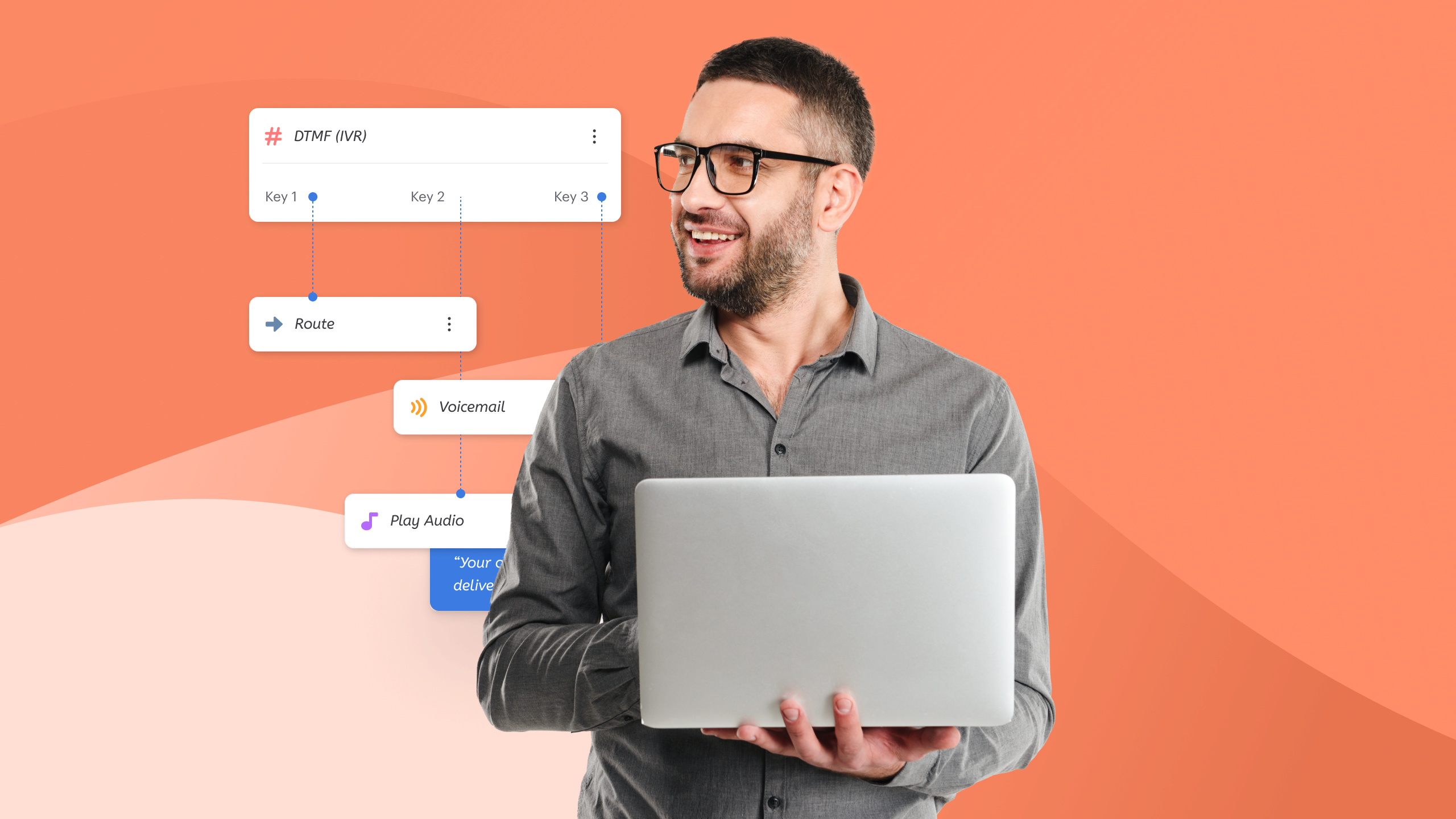
Automation further shapes how teams operate. Flow Builder allows managers to design routing logic, IVR paths, and self-service journeys without coding. Calls move based on rules, customer data, or intent, which reduces queue congestion .
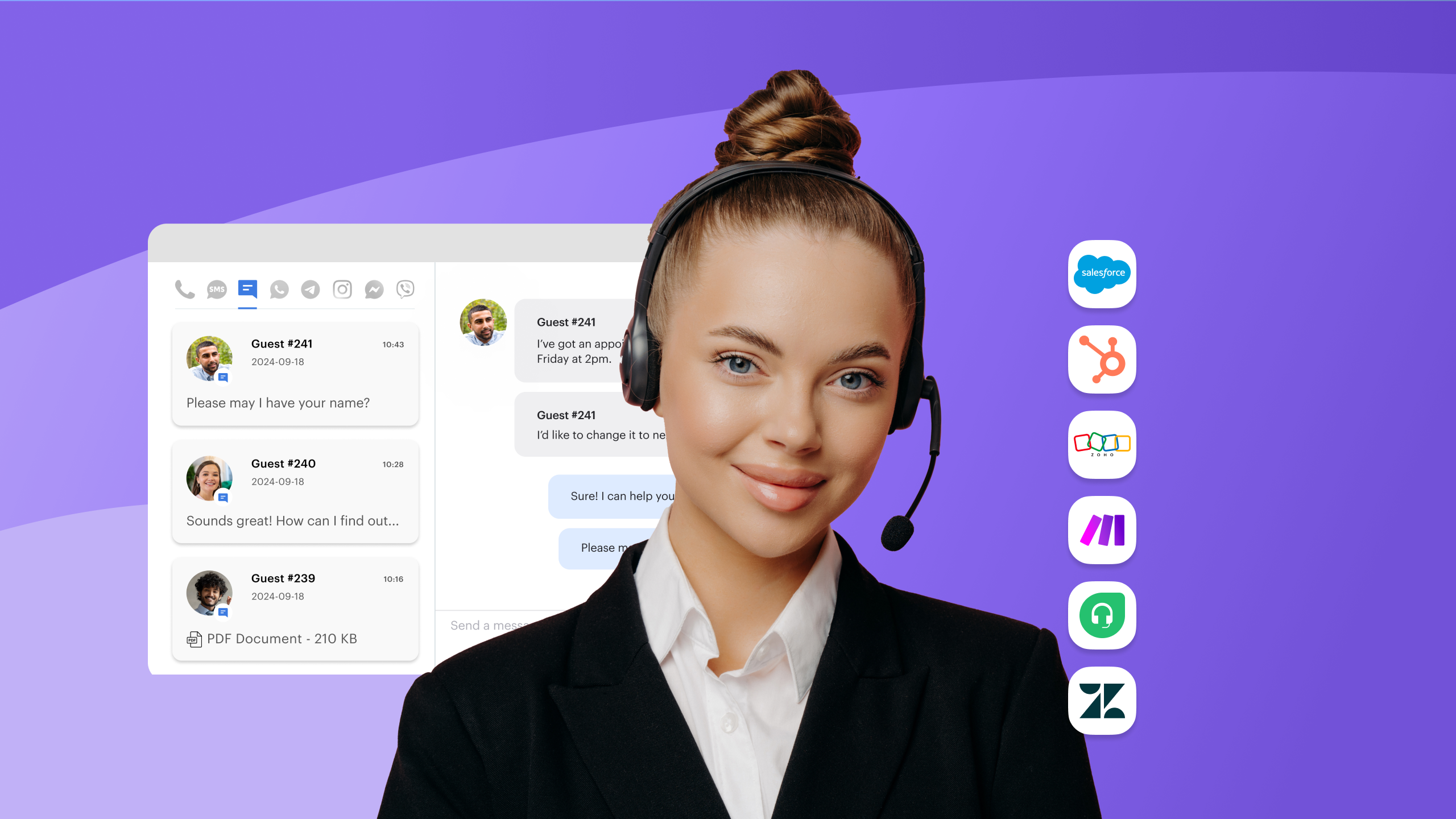
Omnichannel communication extends beyond voice. Agents manage calls, messaging apps, and social channels in one workspace, with full interaction history across touchpoints .
Two operational advantages stand out:
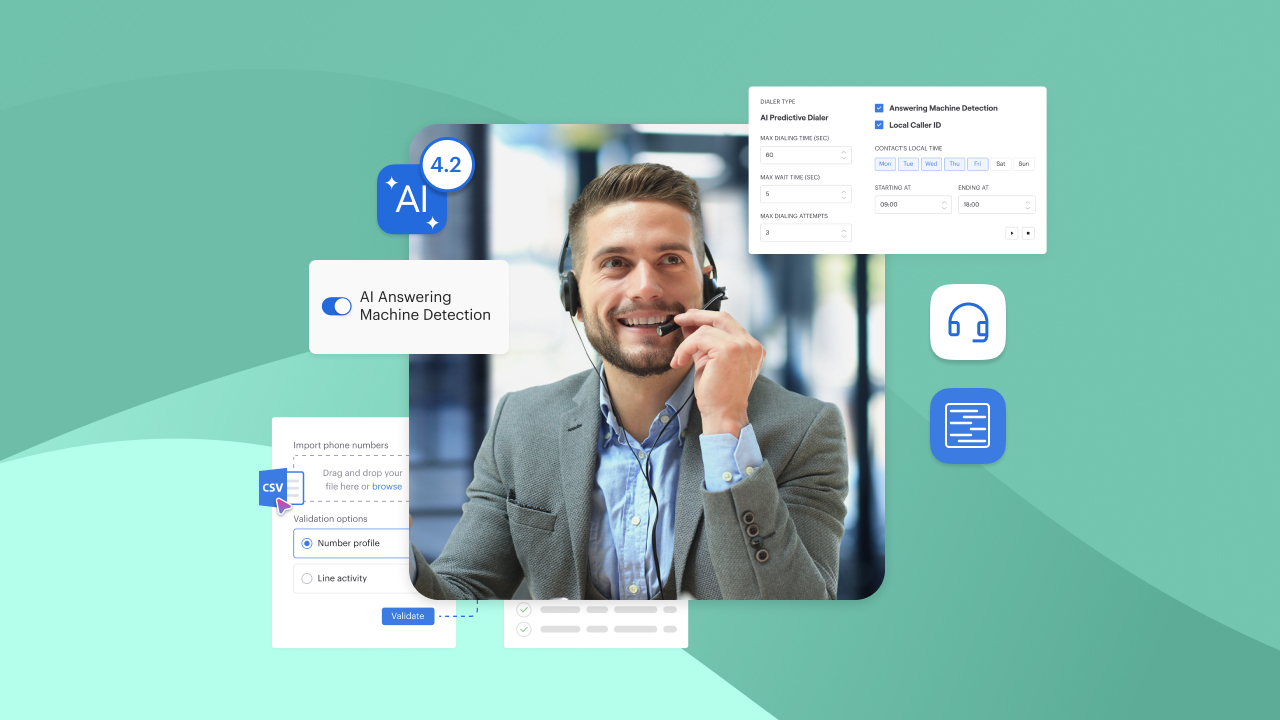
- Talk time optimization: AI-based answering machine detection filters out voicemail calls, allowing agents to focus on live conversations. Up to 25% of agent time often goes to non-productive calls without this layer .
- Faster onboarding: New agents work within a single interface, with CRM data, scripts, and workflows already connected. That reduces ramp-up time and training complexity.
Voiso fits teams that rely on structured outreach, performance tracking, and high call volumes. Sales teams, support operations, and BPOs benefit most from that model.
RingCentral — Best Unified Communications Platform
RingCentral offers a broad suite covering voice, messaging, and video. Enterprises often choose it for its all-in-one approach.
Flexibility comes with complexity. Large feature sets require time to configure and maintain. Teams with dedicated IT support handle that better than smaller operations.
Organizations looking for a single vendor across all communication channels may find value here. Those needing fast deployment with minimal setup may face friction.
Nextiva — Best for Simplicity and Support
Nextiva focuses on ease of use. Setup takes less time compared to more complex platforms, which makes it appealing for smaller teams.
The interface stays straightforward, and customer support receives strong feedback. That combination helps teams get started quickly without heavy training.
Limitations appear when operations scale. Advanced routing, analytics, and automation options remain less developed compared to more specialized platforms.
Zoom Phone — Best for Video-Centric Teams
Zoom Phone integrates tightly with Zoom’s video ecosystem. Teams already using Zoom benefit from a unified experience across meetings and calls.
That dependency creates constraints. Organizations outside the Zoom environment may not gain the same value.
Companies centered around video collaboration often adopt it to keep communication within a single ecosystem.
Dialpad — Best AI-Enhanced Communication
Dialpad builds its offering around AI features. Real-time transcription, call summaries, and live coaching provide immediate insights during conversations.
That focus works well for teams experimenting with AI-driven workflows. However, routing flexibility and deep customization may feel limited in more complex operations.
Compared to Voiso, AI capabilities focus more on live assistance rather than full operational visibility and workflow integration.
GoTo Connect — Best Budget Option
GoTo Connect targets cost-conscious teams. It offers core calling features at a lower entry point.
Smaller teams benefit from predictable pricing and basic functionality. Larger operations may encounter limits when scaling workflows or integrating advanced features.
It suits teams that need reliable communication without extensive customization.
8×8 — Best for Global Enterprises
8×8 supports multinational operations with strong international coverage and compliance capabilities.
Global organizations value that reach, especially when operating across multiple regions. Setup and interface complexity can slow adoption for smaller teams.
Enterprises with distributed offices and regulatory requirements often prioritize that level of infrastructure.
Aircall — Best for Lightweight Sales Teams
Aircall focuses on simplicity for sales teams. Setup remains quick, and the interface stays clean.
It handles outbound calling workflows effectively for smaller teams. Deeper analytics and automation layers remain limited compared to more advanced platforms.
Teams with straightforward sales processes may find it sufficient. More complex operations may outgrow it.
OpenPhone — Best for Startup Teams
OpenPhone caters to startups managing small remote teams. Shared numbers and collaboration features support basic communication needs.
It lacks advanced routing, analytics, and performance tracking. Early-stage companies often accept those limits in exchange for simplicity.
As teams grow, they often transition to more structured platforms.
Grasshopper — Best for Very Small Teams
Grasshopper provides a virtual phone system for solo operators and small businesses. Setup requires minimal effort, and core features remain easy to manage.
It doesn’t support contact center operations, automation, or analytics. Teams with simple call handling needs benefit most.
TabaTalk — Best for Omnichannel Remote Teams
TabaTalk combines voice, messaging, CRM integrations, and workflow automation into one platform built for distributed teams. Features like AI Speech Analytics, Flow Builder, omnichannel support, and real-time dashboards help teams manage conversations and performance without relying on multiple disconnected tools.
The platform fits remote sales and support teams that need more operational visibility and automation than basic VoIP systems typically provide.
Which Cloud Phone System Fits Your Remote Team Type?
The right platform depends on how your team works. A BPO running outbound campaigns needs different controls than a startup sharing one business number.
Use the breakdown below to match team structure with the right fit.
| Remote team type | Best-fit platforms | Why it fits |
| BPO / outsourced teams | Voiso, 8×8 | High-volume teams need dialers, AMD, dashboards, and call monitoring. Voiso fits teams focused on talk time and measurable output. |
| Fintech / sales-heavy teams | Voiso, Dialpad | Sales teams need CRM data, call recording, analytics, and local calling. Voiso supports regulated, outbound-heavy workflows with AI Speech Analytics and CRM integrations. |
| Customer support teams | Voiso, Nextiva, RingCentral | Support teams need routing, call history, and channel continuity. Voiso adds omnichannel workspace and Flow Builder automation. |
| Startups / SMBs | OpenPhone, Grasshopper, Nextiva | Smaller teams often need quick setup, shared numbers, and simple call handling before deeper workflows matter. |
BPO / Outsourced Teams
BPOs rely on agent utilization, contact rates, and campaign visibility. Small delays across hundreds of calls quickly affect margins.
Voiso fits this model because it combines outbound calling, real-time dashboards, and AI AMD. Voiso’s ICP research notes that outsourced teams prioritize talk time, local caller ID, dialers, recordings, and Speech Analytics .
8×8 can also suit larger global BPOs with enterprise infrastructure needs.
Fintech / Sales-Heavy Organizations
Fintech sales teams need more than call volume. They need trust, compliance, and clear records of every conversation.
Voiso works well here because agents can connect calls with CRM data, monitor KPIs, and review call recordings. Its ICP research highlights fintech needs around omnichannel access, IVR, analytics, and interaction tracking .
Dialpad may fit smaller sales teams that want AI assistance during live calls.
Customer Support Teams
Support teams need routing logic and full customer context. Missed details create repeat contacts and longer resolution times.
Voiso’s Flow Builder helps route calls through IVR paths, self-service menus, and CRM-based logic . Its omnichannel workspace also lets agents manage voice, SMS, WhatsApp, webchat, and social messaging together .
Nextiva fits smaller support teams that want simple onboarding. RingCentral fits larger teams already using unified communications.
Startups / SMBs
Startups usually need speed before complexity. Shared numbers, mobile access, and basic call handling often come first.
OpenPhone works well for early-stage teams managing calls and messages together. Grasshopper suits solo operators or very small businesses.
As call volume grows, startups may outgrow lightweight systems. At that point, Voiso becomes a stronger fit for structured sales or support operations.
Common Remote Communication Bottlenecks (And How Cloud Systems Solve Them)
Remote teams don’t need more apps. They need fewer gaps between calls, data, and decisions.
The strongest platforms solve operational bottlenecks at the workflow level.
| Bottleneck | What causes it | Cloud system fix |
| Low agent productivity | Manual dialing, voicemail, app switching | Dialers, AMD, click-to-call, auto logging |
| Lack of visibility | Managers can’t observe distributed teams directly | Live dashboards, call scoring, real-time KPIs |
| CRM disconnect | Calls happen outside customer records | Screen pop, automatic call history, CRM-native workflows |
| Poor call quality at scale | Remote agents work across devices and regions | Centralized monitoring, secure mobile access, call records |
Low Agent Productivity
Remote agents lose time when basic tasks stay manual. Dialing numbers, updating records, and listening to voicemail all cut into live conversations.
Cloud systems solve that with automation. Click-to-call removes manual dialing. Auto logging captures call details after each interaction. AMD filters out voicemail so agents focus on real prospects.
Voiso’s AMD data shows up to 25% of agent call time can be lost to machine-answered calls . Removing that waste matters most for BPOs and outbound sales teams.
Lack of Visibility
Remote managers can’t rely on floor presence. They need live data to understand agent activity, queue pressure, and call quality.
Real-time dashboards give supervisors that view. They can track availability, KPIs, and active conversations from one workspace.
Voiso supports live monitoring across mobile and desktop users, with 60+ KPI widgets available in real time . Speech Analytics adds deeper review through transcripts, sentiment, summaries, and conversation scores .
CRM Disconnect
A call without customer context creates extra work. Agents ask repeated questions, miss prior notes, and update records after the fact.
CRM-connected systems bring customer data into the call flow. Screen pop shows relevant details before the conversation starts. Automatic logging keeps history accurate after it ends.
Voiso’s Zoho and Salesforce integrations support click-to-call, screen pop, and automatic call history updates inside the CRM .
Poor Call Quality at Scale
Remote work adds network, device, and regional complexity. Quality issues become harder to spot when teams spread across locations.
Cloud platforms centralize monitoring, recordings, and call records. Managers can review performance patterns rather than relying on complaints.
Mobile access also matters. Voiso’s mobile app supports secure global calling, call history, KPI tracking, and centralized CDR logging for remote agents .
Solving bottlenecks changes the cost equation. The next section looks at what remote teams actually pay and where savings appear.
Cost Breakdown: What Remote Teams Actually Pay (And Save)
A lower monthly price doesn’t always mean lower total cost. Remote teams often pay more through inefficiencies than software fees. Gartner reports that poor workflow integration can reduce productivity by up to 30%. That loss often outweighs any savings from cheaper tools.
Cost Per Agent vs Productivity Output
Most providers charge per user, but cost per agent only tells part of the story.
What matters more is output per agent. How many meaningful conversations happen each day? How much time goes to manual work?
Two teams may both pay $25 per user. One team closes deals faster because agents spend more time in live conversations.
Automation plays a direct role here:
- Click-to-call removes dialing delays
- Auto logging reduces after-call work
- AMD filters out non-productive calls
Voiso data shows up to 25% of agent time can go to voicemail without filtering . Recovering that time increases output without increasing headcount.
Hidden Costs of Tool Stacking
Many teams build their communication stack over time. They combine a phone system, CRM, analytics tool, and messaging platform.
That approach creates hidden costs:
| Cost layer | Impact on operations |
| Multiple subscriptions | Higher monthly spend across tools |
| Integration gaps | Data doesn’t sync consistently |
| Training overhead | Agents learn multiple systems |
| Workflow delays | Switching between tools slows execution |
Teams often underestimate how much time goes into managing those gaps.
Platforms that combine calling, CRM workflows, analytics, and messaging reduce that overhead. Fewer tools mean fewer failure points and faster execution.
ROI From Automation and Analytics
Return on investment comes from time saved and decisions improved.
Automation reduces repetitive tasks. Analytics turns conversations into measurable insights.
Key ROI drivers include:
- Reduced handling time: Automated summaries and logging shorten post-call work
- Higher conversion rates: CRM context improves sales conversations
- Better agent coaching: Call scoring and sentiment analysis highlight specific improvement areas
- Lower training costs: Structured workflows reduce onboarding time
For example, AI-powered transcription can process a five-minute call in seconds, allowing faster quality reviews and feedback loops. That speed changes how teams manage performance. Instead of reviewing a sample of calls, managers can analyze full datasets.
How to Choose the Right Cloud Phone System for Remote Teams
Most platforms look similar on the surface. The difference shows up during daily operations. Choosing the right system means testing how well it supports your workflows, not just how many features it lists. The checklist below helps narrow down the right fit.
Decision Checklist
Start with how your team actually works. Then evaluate platforms against those requirements.
| Decision area | What to evaluate |
| Team structure | Do you run sales, support, or mixed operations? |
| Call volume | Do agents handle dozens or hundreds of calls daily? |
| Workflow complexity | Do you need routing logic, IVR, or simple call handling? |
| Data usage | Do agents rely on CRM data during calls? |
| Visibility needs | Do managers need real-time dashboards and call insights? |
| Channels | Do you handle voice only, or messaging and social channels too? |
Strong platforms align with your answers across all categories, not just one.
Red Flags to Watch For
Some limitations only appear after onboarding. Identifying them early prevents costly switches later.
Watch for these warning signs:
- Limited CRM integration: If agents switch tabs during calls, workflows will slow down
- No real-time visibility: Lack of live dashboards makes remote management difficult
- Basic routing only: Fixed call flows create bottlenecks as teams grow
- Separate tools for messaging: Splitting channels leads to fragmented communication
- Manual reporting: Delayed insights prevent timely decisions
Each of these issues compounds over time. Small inefficiencies quickly turn into operational friction.
Must-Test Features During a Trial
A trial period reveals how a system performs under real conditions. Focus on testing workflows, not isolated features.
Use the list below to guide evaluation:
- Call handling flow: Create a sample routing path with IVR and test how calls move
- CRM integration: Make calls directly from your CRM and confirm automatic logging
- Agent workflow: Observe how many steps agents take to complete one interaction
- Performance tracking: Review dashboards, call summaries, and analytics after calls
- Multi-device access: Test switching between desktop and mobile without losing context
Pay attention to how quickly agents adapt. A system that requires constant workarounds won’t scale well.
Choosing a System That Scales With Your Remote Team
Not all VoIP tools support how remote teams actually operate. Many handle calls well but fall short once workflows grow more complex.
The difference shows up when teams scale. More agents, more conversations, and more data expose gaps in systems built only for calling.
A scalable platform connects three core elements:
- Communication across voice and messaging
- Data across CRM and interaction history
- Performance across agents, teams, and campaigns
When one of those elements sits outside the system, operations slow down.
Why Basic VoIP Tools Fall Behind
Traditional cloud phone systems focus on connectivity. They allow teams to make and receive calls from anywhere.
That solves access, but not coordination.
As teams grow, limitations appear:
- Agents switch between tools to complete a single task
- Managers lack real-time visibility into performance
- Data stays fragmented across systems
Each gap creates delays that compound over time. What works for a small team often breaks under higher volume.
Why Operational Platforms Scale Better
Platforms built for distributed teams treat communication as part of a larger workflow.
They don’t stop at calls. They connect interactions with data, automation, and analytics.
That approach changes how teams operate:
| Area | Basic phone system | Operational platform |
| Call handling | Isolated activity | Connected to CRM and workflows |
| Visibility | Limited reporting | Real-time dashboards and analytics |
| Automation | Minimal routing | Full control over IVR and workflows |
| Channels | Voice only | Voice, messaging, and social in one space |
Systems that combine those layers reduce friction across the entire operation.
Where Voiso Fits
Voiso stands out by focusing on performance, not just communication.
It brings together:
- Mobile-first access for distributed agents
- AI-driven analytics for every interaction
- CRM-native workflows for full context
- Automation through Flow Builder
- Omnichannel communication in one workspace
That structure allows teams to manage conversations, track outcomes, and adjust workflows without switching systems.
It also supports how remote teams actually grow. New agents can join quickly, managers can monitor performance in real time, and workflows can adapt without rebuilding the stack.
The Bottom Line
Choosing a cloud phone system isn’t about features alone. It’s about how well the platform supports daily operations at scale. Basic tools handle calls. Operational platforms manage performance.
Teams that rely on structured sales, support, or high call volumes benefit from systems designed around outcomes. Voiso fits that model by connecting communication with execution. The right choice depends on where your team stands today and how fast it plans to grow.
FAQs
What’s the difference between a cloud phone system and a contact center platform?
A cloud phone system handles calls. A contact center platform connects calls with data, automation, and performance tracking.
Teams using only calling tools often rely on multiple systems to manage workflows. Platforms reduce that fragmentation by combining everything in one environment.
Do remote teams really need CRM integration?
Yes, especially for sales and support teams. Without CRM integration, agents lack context during calls.
That gap leads to repeated questions, slower conversations, and incomplete records. Integrated systems keep customer data visible and updated in real time.
How important is AI in cloud phone systems?
AI plays a growing role in managing scale. It helps analyze conversations, track sentiment, and identify patterns across calls.
Teams handling high volumes benefit most. AI reduces manual review time and highlights areas for improvement quickly.
Can small teams start with simple tools and upgrade later?
They can, but switching systems later often creates disruption. Data migration, retraining, and workflow rebuilding take time.
Teams expecting growth may benefit from choosing a scalable platform earlier.
What should I prioritize during a trial?
Focus on daily workflows, not just features. Test how agents handle calls, access data, and complete tasks.
Pay attention to how many steps each interaction requires. Fewer steps usually indicate better system design.
Are omnichannel features necessary for all teams?
Not always. Teams handling only phone calls may not need messaging right away.
However, customer communication often expands over time. Platforms that support multiple channels help avoid adding separate tools later.
Further Reading
- Best Cloud Phone Systems For Remote Teams
- Cloud-Based Phone System Vs VoIP
- How To Choose A Cloud Contact Center Vendor
- Cloud Contact Center ROI
- Cloud Contact Center Cost Savings
- Cloud Communication Security
- What Is A Cloud-Based Office Phone System
- How To Migrate Contact Center to the Cloud
- On-Premise Vs Cloud Contact Center