All Products

.svg)





Business communication has changed dramatically over the past decade.
Teams no longer operate from a single office. Employees collaborate across time zones, work from home, travel frequently, and communicate through multiple channels throughout the day. Managing voice calls, messaging, meetings, and collaboration tools separately creates friction, reduces productivity, and complicates IT management.
Unified communications platforms solve that challenge.
Rather than relying on disconnected applications, businesses can bring voice, video, messaging, file sharing, and collaboration into a single environment. This approach simplifies communication, improves visibility, and creates a more consistent experience for employees and customers alike.
Demand continues growing rapidly. Organizations increasingly invest in cloud-based communication solutions that support hybrid work, improve scalability, strengthen security, and reduce infrastructure costs. Unified Communications as a Service (UCaaS) has become a core component of modern business technology strategies.
This guide reviews the top unified communication platforms for 2026, explains how UC platforms work, highlights key selection criteria, and compares leading providers including Voiso, RingCentral, Microsoft Teams, Zoom Workplace, Cisco Webex, Dialpad, and others.
What Is a Unified Communications Platform?
A unified communications platform combines multiple communication channels into a single interface.
Instead of switching between separate applications for calling, messaging, conferencing, and collaboration, users can manage everything through one platform.
Core capabilities typically include:
- VoIP calling
- Team messaging
- Video conferencing
- Screen sharing
- File sharing
- Presence indicators
- Collaboration tools
- Analytics and reporting
The goal is simple.
Make communication easier, faster, and more efficient.
Unified Communications vs UCaaS
The terms often appear interchangeably, but they aren’t identical.
Unified Communications (UC) refers to the communication framework itself.
Unified Communications as a Service (UCaaS) refers to cloud-delivered unified communications provided through a subscription model.
UCaaS removes the need for organizations to maintain complex on-premise infrastructure.
Benefits include:
- Lower maintenance requirements
- Faster deployment
- Easier scalability
- Continuous software updates
- Reduced hardware investment
Most modern businesses now evaluate cloud-based UCaaS solutions rather than traditional PBX systems.
Why Unified Communications Matter
Communication affects nearly every business process.
Unified platforms help organizations:
- Improve collaboration
- Support remote work
- Streamline workflows
- Increase productivity
- Enhance customer interactions
- Reduce communication silos
They also create consistency across departments, locations, and devices.
Core Components of Modern UC Platforms
Most unified communications platforms include five foundational elements:
| Component | Purpose |
| VoIP Calling | Business phone communications |
| Team Messaging | Internal collaboration |
| Video Conferencing | Virtual meetings and presentations |
| File Sharing | Document collaboration |
| Analytics & Integrations | Visibility and workflow automation |
Together, these capabilities create a central communication hub for the entire organization.
Benefits of Unified Communications for Businesses
Organizations adopt unified communications because of the measurable operational advantages they provide.
Seamless Collaboration
Communication becomes significantly easier when employees can access voice, video, and messaging from one interface.
Benefits include:
- Faster decision-making
- Reduced communication delays
- Improved project collaboration
- Better knowledge sharing
Global teams can work together as though they were in the same office.
Cost Efficiency
Traditional communication infrastructure often requires multiple vendors and separate systems.
Unified communications consolidates those expenses.
Organizations can reduce:
- Hardware costs
- Maintenance expenses
- Telephony charges
- Vendor management complexity
Cloud deployment further lowers infrastructure requirements.
Productivity and Accessibility
Employees spend less time switching between applications.
Advantages include:
- Centralized communication
- Faster access to information
- Simplified workflows
- Reduced context switching
Mobile and desktop access ensures employees remain connected wherever they work.
Scalability
Growing businesses need a flexible communication infrastructure.
UCaaS platforms allow organizations to:
- Add users instantly
- Expand globally
- Support remote workers
- Scale services efficiently
Growth no longer requires major infrastructure projects.
Improved Customer Experience
Communication tools affect customer interactions directly.
Unified communications improves:
- Response times
- Call routing
- Team collaboration
- Customer visibility
Many platforms also integrate with CRM systems to provide deeper customer context.
How to Choose the Right Unified Communication Platform
The best platform depends on organizational requirements.
Several factors deserve careful evaluation.
Features and Functionality
Core capabilities should align with business needs.
Evaluate:
- Voice services
- Video conferencing
- Messaging
- Mobile support
- Analytics
- AI capabilities
Feature depth varies significantly between providers.
Reliability
Downtime impacts productivity and customer experience.
Look for:
- Strong uptime commitments
- Redundant infrastructure
- Global data centers
- Disaster recovery capabilities
Enterprise providers often advertise availability above 99.99%.
Ease of Use
Complex systems reduce adoption.
Assess:
- User interface
- Administrative controls
- Training requirements
- Onboarding experience
User-friendly platforms often deliver faster ROI.
Security and Compliance
Security remains a top priority.
Important considerations include:
- Encryption
- Access controls
- Regulatory compliance
- Audit capabilities
Many organizations require GDPR, HIPAA, SOC 2, or ISO 27001 support.
Integration Capabilities
Modern businesses rely on interconnected systems.
Strong platforms integrate with:
- CRM software
- Helpdesk tools
- Productivity suites
- Collaboration platforms
Integration improves efficiency and reduces manual work.
Pricing and Scalability
Evaluate:
- Licensing structure
- Per-user costs
- Feature limitations
- Long-term growth potential
The cheapest option isn’t always the most cost-effective.
Everything your team needs in one platform
Top Unified Communication Platforms for 2026
Quick Comparison Table
| Platform | Best For | Key Features | Integrations | Pricing Model |
| Voiso | Contact centers | Voice, analytics, CRM sync | Salesforce, HubSpot, Zendesk | Custom |
| RingCentral MVP | Enterprises | Voice, video, messaging | Microsoft 365, Salesforce | Tiered |
| Zoom Workplace | Remote teams | Meetings, chat, AI tools | HubSpot, Slack | Freemium |
| Microsoft Teams | Microsoft users | Chat, calling, collaboration | Microsoft ecosystem | Bundled |
| Cisco Webex | Regulated industries | Security, conferencing, calling | Salesforce, ServiceNow | Enterprise |
| 8×8 X Series | SMBs | UCaaS + CCaaS | Zendesk, Google Workspace | Tiered |
| Dialpad Ai | Sales teams | AI transcription, analytics | Salesforce, HubSpot | Per-user |
| Zoom Phone | Telephony | Cloud PBX, analytics | Zoom ecosystem | Per-user |
| Vonage Business | Mid-market | Voice, messaging, APIs | Microsoft, Zoho | Flexible |
| GoTo Connect | SMBs | Voice, video, SMS | Google Workspace | Tiered |
1. Voiso
Voiso combines unified communications and contact center capabilities within a single cloud platform.
Unlike many traditional UCaaS vendors, Voiso focuses heavily on voice performance, customer engagement, analytics, and operational visibility.
Core Features
Key capabilities include:
- Cloud voice infrastructure
- Intelligent call routing
- Interactive Voice Response (IVR)
- Real-time reporting
- Omnichannel communication
- CRM synchronization
- AI-powered analytics
The platform also includes advanced conversation intelligence tools.
AI-Powered Capabilities
Voiso differentiates itself through features such as:
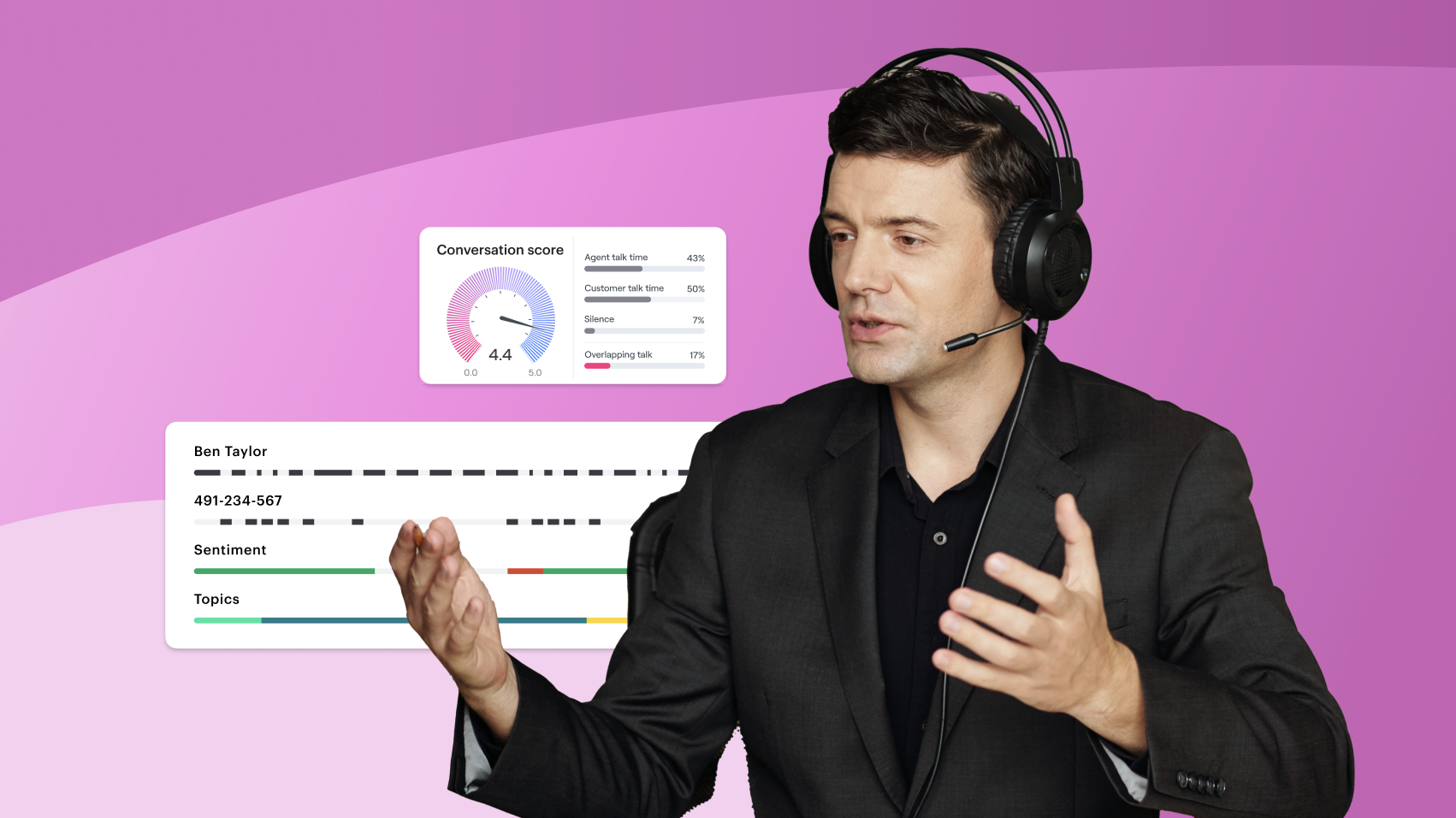
- AI conversation scoring
- Sentiment analysis
- Real-time insights
- Performance dashboards
- Quality monitoring
These tools help organizations improve both employee performance and customer experience.
Best For
Voiso works particularly well for:
- Contact centers
- Customer support teams
- Sales organizations
- Global enterprises
- High-volume communication environments
Pros
- Strong voice infrastructure
- Advanced analytics
- AI-powered insights
- Extensive CRM integrations
- Scalable cloud architecture
Cons
- Primarily business-focused
- Less suitable for consumer applications
Pricing
Custom enterprise pricing based on usage, features, and integrations.
What Makes Voiso Different?
Most UCaaS vendors focus primarily on internal communication.
Voiso bridges UCaaS and CCaaS, creating a unified environment for both internal collaboration and customer-facing communication.
2. RingCentral MVP
RingCentral remains one of the best-known UCaaS providers in the market.
The company began with cloud-based voice and expanded into a full communications suite covering messaging, video, phone, analytics, and contact center add-ons.
Core Features
RingCentral MVP includes:
- Cloud phone system
- Team messaging
- HD video meetings
- SMS
- Fax
- Call analytics
- Admin controls
The platform supports businesses with distributed teams and complex communication requirements.
Best For
RingCentral suits:
- Large enterprises
- Global teams
- Multi-location businesses
- Companies needing mature UCaaS infrastructure
Integrations
Common integrations include:
- Microsoft 365
- Salesforce
- Google Workspace
- Slack
- Zendesk
Pros
- Mature UCaaS functionality
- Strong scalability
- Broad integration ecosystem
- Advanced administration tools
Cons
- Higher tiers can become expensive
- Smaller teams may find configuration complex
Pricing Insight
RingCentral uses tiered per-user pricing, with advanced analytics, contact center features, and enterprise capabilities available through higher plans or add-ons.
3. Zoom Workplace
Zoom Workplace has evolved far beyond video meetings.
The platform now combines video, chat, whiteboarding, AI assistance, calendar tools, phone services, and collaboration features.
Core Features
Zoom Workplace includes:
- HD video meetings
- Team chat
- Whiteboards
- AI meeting summaries
- File sharing
- Zoom Phone integration
- Calendar and scheduling tools
Its interface remains one of the easiest to adopt.
Best For
Zoom Workplace works well for:
- Remote teams
- Hybrid organizations
- Video-first companies
- Education and training environments
Pros
- Familiar user experience
- Strong video quality
- AI productivity tools
- Large integration marketplace
Cons
- Advanced voice routing may require add-ons
- Native CRM functionality remains limited
Pricing Insight
Zoom offers freemium, Pro, Business, and Enterprise plans, with additional pricing for Zoom Phone and advanced features.
4. Microsoft Teams
Microsoft Teams functions as the collaboration hub inside Microsoft 365.
For companies already using Outlook, SharePoint, OneDrive, and Dynamics 365, Teams offers a deeply integrated communication environment.
Core Features
Microsoft Teams includes:
- Chat
- Channels
- Meetings
- File collaboration
- VoIP calling through Teams Phone
- App integrations
- Webinar capabilities
Its value increases significantly for organizations already invested in Microsoft tools.
Best For
Microsoft Teams suits:
- Microsoft 365 users
- Enterprise organizations
- Knowledge workers
- Teams using Dynamics 365
Pros
- Deep Microsoft integration
- Strong security controls
- Familiar productivity ecosystem
- Bundled licensing options
Cons
- Resource-heavy on some devices
- Less flexible outside Microsoft environments
- Advanced phone capabilities may require additional licensing
Pricing Insight
Teams is included in many Microsoft 365 plans. Teams Phone and advanced calling features usually require additional licenses.
5. Cisco Webex
Cisco Webex remains a strong option for enterprise communication, especially in regulated or security-sensitive environments.
The platform combines cloud calling, meetings, messaging, devices, and collaboration tools.
Core Features
Cisco Webex offers:
- Video meetings
- Cloud calling
- Team messaging
- AI noise removal
- Meeting summaries
- Webinars
- Hardware integration
Cisco’s device ecosystem is a major differentiator.
Best For
Cisco Webex fits:
- Healthcare organizations
- Government agencies
- Financial institutions
- Large enterprises
- Security-focused teams
Pros
- Strong security reputation
- Hardware and software synergy
- Reliable enterprise performance
- Advanced meeting tools
Cons
- Interface can feel complex for smaller teams
- Enterprise plans may require more administration
Pricing Insight
Webex offers business and enterprise plans, with pricing depending on calling, meeting, and device requirements.
6. 8×8 X Series
8×8 X Series combines UCaaS and CCaaS capabilities in one cloud environment.
The platform supports voice, video, messaging, SMS, analytics, and contact center functionality.
Core Features
8×8 includes:
- Business phone services
- Video meetings
- Team chat
- SMS
- Call recording
- Analytics
- Contact center options
Best For
8×8 works well for:
- Small and mid-sized businesses
- Growing teams
- Companies seeking UCaaS and CCaaS together
- Cost-conscious organizations
Pros
- Broad feature set
- Integrated UC and contact center tools
- Solid analytics
- Good SMB fit
Cons
- Enterprise customization may feel limited
- Advanced functionality may require higher tiers
Pricing Insight
8×8 uses tiered plans, commonly structured around X-series packages with increasing functionality by tier.
7. Dialpad Ai
Dialpad Ai positions itself around AI-powered communication.
Its platform supports calling, meetings, messaging, contact center workflows, transcription, and real-time coaching.
Core Features
Dialpad includes:
- Business calling
- Team messaging
- Video meetings
- Real-time transcription
- Sentiment analysis
- AI summaries
- Sales and support insights
Best For
Dialpad fits:
- Sales teams
- Customer support teams
- AI-focused organizations
- Remote teams
Pros
- Strong AI capabilities
- Modern interface
- Fast deployment
- Good analytics tools
Cons
- Some advanced capabilities sit behind higher plans
- Large enterprise requirements may need careful evaluation
Pricing Insight
Dialpad generally uses per-user pricing, with AI features included across many plans and more advanced capabilities available at higher levels.
8. Zoom Phone
Zoom Phone is Zoom’s cloud telephony solution.
While Zoom Workplace focuses on collaboration, Zoom Phone provides business calling, cloud PBX functionality, voicemail, recording, and call routing.
Core Features
Zoom Phone includes:
- Cloud PBX
- Voicemail transcription
- Call recording
- Call queues
- Number porting
- Analytics
- Global calling options
Best For
Zoom Phone suits:
- Existing Zoom customers
- Businesses replacing legacy phone systems
- Teams prioritizing simple cloud telephony
- Organizations needing integrated video and calling
Pros
- Easy deployment
- Familiar interface
- Seamless Zoom ecosystem integration
- Flexible calling options
Cons
- Less advanced CRM analytics than specialist platforms
- More complex routing may require configuration
Pricing Insight
Zoom Phone offers metered and unlimited calling plans, with pricing varying by region and calling requirements.
9. Vonage Business Communications
Vonage Business Communications provides UCaaS capabilities with strong API and developer ecosystem support.
It bridges business communications with programmable workflows.
Core Features
Vonage offers:
- Voice calling
- Video meetings
- Team messaging
- SMS
- Admin controls
- APIs
- Contact center options
Best For
Vonage works well for:
- Mid-sized businesses
- API-focused teams
- Organizations needing flexible communications
- Companies building customized workflows
Pros
- API-friendly architecture
- Flexible communication options
- Strong CPaaS heritage
- Broad integration possibilities
Cons
- Pricing transparency can vary by region
- Advanced configurations may require technical support
Pricing Insight
Vonage uses subscription plans for UCaaS and separate options for APIs or contact center functionality.
10. GoTo Connect
GoTo Connect offers a simple UCaaS solution for small and mid-sized businesses.
It combines voice, video, messaging, SMS, analytics, and administration tools.
Core Features
GoTo Connect includes:
- Cloud phone system
- Video meetings
- Team messaging
- SMS
- Call routing
- Admin dashboard
- Basic analytics
Best For
GoTo Connect suits:
- Small businesses
- Startups
- Lean teams
- Organizations needing fast setup
Pros
- Simple deployment
- SMB-friendly pricing
- Reliable voice services
- Easy administration
Cons
- Analytics may feel basic for enterprises
- Fewer advanced contact center capabilities
Pricing Insight
GoTo Connect offers tiered plans designed for smaller teams and growing businesses.
Key Features to Look for in a Unified Communication Platform
The right UC platform should match business requirements, not just offer the longest feature list.
Voice and Video Calling
Core calling quality matters.
Look for:
- HD voice
- VoIP reliability
- Video conferencing
- Screen sharing
- Mobile calling
- Browser-based access
Voice and video remain the foundation of most unified communication strategies.
Unified Messaging
Messaging should support fast internal collaboration.
Useful features include:
- Team chat
- Threaded conversations
- Presence status
- File sharing
- Searchable history
Strong messaging reduces reliance on email.
AI-Powered Features
AI capabilities are becoming standard.
Examples include:
- Meeting summaries
- Real-time transcription
- Voice commands
- Sentiment analysis
- Intelligent routing
- Automated notes
AI helps teams reduce manual effort and extract more value from conversations.
Call Center Integration
Many businesses now want internal and customer-facing communications connected.
Contact center capabilities may include:
- ACD
- IVR
- Queue management
- Call recording
- Agent analytics
- CRM synchronization
Voiso provides a strong example of this UC and contact center convergence, combining voice communication, routing, analytics, CRM integrations, and performance visibility in one environment.
Analytics and Reporting
Reporting helps leaders understand communication performance.
Track:
- Call duration
- Response times
- Channel usage
- Agent performance
- Customer engagement
- Quality trends
Analytics turn communication data into operational insight.
Security, Compliance, and Reliability in UCaaS
Unified communications platforms manage sensitive conversations and customer data.
Security should never be an afterthought.
Data Encryption
Look for encryption across:
- Voice traffic
- Messaging
- Video meetings
- File transfers
TLS, SRTP, and end-to-end encryption options help protect communications.
Compliance Standards
Common standards include:
- GDPR
- HIPAA
- SOC 2
- ISO 27001
- PCI DSS
Requirements vary by industry and location.
Reliability and Uptime
Business communication depends on availability.
Evaluate:
- Uptime SLAs
- Failover systems
- Global data centers
- Monitoring tools
- Incident response processes
Strong reliability protects both productivity and customer experience.
Emerging Trends in Unified Communications for 2026
Unified communications continues evolving quickly.
AI and Automation
AI will increasingly support:
- Meeting summaries
- Predictive recommendations
- Real-time coaching
- Intelligent call routing
- Automated follow-ups
Automation will reduce administrative workload across teams.
Hybrid Work Enablement
UC platforms will continue adapting to distributed workforces.
Important features include:
- Mobile-first experiences
- Unified presence
- Flexible device support
- Remote administration
Hybrid work has become a permanent communication requirement.
Convergence of UC and CCaaS
Businesses increasingly prefer platforms that support both employee collaboration and customer communication.
This trend reflects the growing overlap between internal communication and customer experience workflows.
Voiso fits naturally into this direction by combining cloud voice, contact center analytics, CRM integrations, and AI-powered conversation intelligence.
Sustainability and Energy Efficiency
Cloud-based UC reduces reliance on on-premise hardware.
Benefits may include:
- Lower energy use
- Less electronic waste
- Reduced office infrastructure
- Better resource utilization
Sustainability considerations increasingly influence technology decisions.
Challenges to Consider Before Implementation
UCaaS implementation offers major advantages, but planning still matters.
Common challenges include:
- Legacy PBX migration
- Data transfer
- Employee training
- Bandwidth readiness
- Security policy alignment
- Integration conflicts
Organizations should assess current systems before switching platforms.
A phased deployment often reduces risk.
Why Voiso Deserves a Place Among the Top UC Platforms
Voiso stands out because it blends unified communication with contact center functionality.
Many UCaaS platforms focus primarily on internal collaboration. Voiso supports organizations where customer communication, voice performance, analytics, and CRM visibility matter just as much.
Unified Voice and Contact Center Capabilities
Voiso combines:
- Cloud calling
- Call routing
- IVR
- Agent dashboards
- Analytics
- CRM synchronization
This makes it suitable for customer-facing teams handling high interaction volumes.
AI-Enhanced Tools
Voiso supports:
- Conversation scoring
- Sentiment detection
- Call transcription
- Quality insights
- Performance analytics
These capabilities help managers understand customer conversations more clearly.
Secure Cloud Infrastructure
Voiso supports secure cloud communications with encryption, controlled access, and privacy-conscious architecture.
CRM Integrations
Voiso connects with platforms such as:
- Salesforce
- HubSpot
- Zendesk
- Zoho
CRM connectivity improves visibility across customer interactions.
Customizable Business Solutions
Voiso works well for organizations needing communication environments tailored to industry-specific workflows, sales operations, customer support, and contact center performance goals.
Explore how Voiso empowers teams with secure, seamless unified communication and customer engagement tools.
Conclusion
Unified communications platforms have become essential for modern businesses.
They bring voice, video, messaging, collaboration, and analytics into a single environment, helping teams communicate more effectively while reducing complexity.
The best platform depends on business size, existing technology, security requirements, budget, and communication priorities.
RingCentral, Microsoft Teams, Zoom Workplace, Cisco Webex, 8×8, Dialpad, Vonage, GoTo Connect, and Voiso each offer distinct strengths.
For organizations that need more than internal collaboration, Voiso provides a compelling option by combining UCaaS capabilities with contact center functionality, AI-powered analytics, CRM integrations, and voice performance tools.
The right choice should support today’s workflows while giving your business room to grow, adapt, and serve customers more effectively.
FAQs
What Is the Difference Between UCaaS and Traditional VoIP?
Traditional VoIP focuses mainly on internet-based calling. UCaaS combines voice with video, messaging, collaboration, file sharing, analytics, and integrations through a cloud-based platform. UCaaS offers broader communication functionality and usually requires less infrastructure management than traditional phone systems.
Which UC Platform Is Best for Small Businesses?
Small businesses often prefer platforms with simple setup, transparent pricing, and strong core features. GoTo Connect, Zoom Workplace, 8×8, and Microsoft Teams can suit smaller teams. The best choice depends on whether the business prioritizes calling, video meetings, messaging, or customer support workflows.
How Can Unified Communications Improve Remote Team Collaboration?
Unified communications gives remote employees one place for calls, meetings, chat, file sharing, and presence updates. Teams can collaborate in real time, reduce app switching, and maintain visibility across projects. Mobile and desktop access also helps employees stay connected from any location.
Are UCaaS Platforms Secure Enough for Enterprise Use?
Yes, leading UCaaS providers support enterprise security through encryption, access controls, compliance certifications, secure data centers, and monitoring tools. Businesses should verify vendor support for relevant requirements such as GDPR, HIPAA, SOC 2, ISO 27001, and PCI DSS before purchasing.
What Are Typical Costs Associated With UCaaS Implementation?
Costs usually include per-user licenses, calling plans, integrations, number porting, implementation support, training, and advanced features. Pricing varies by provider, user count, and functionality. Cloud UCaaS usually reduces hardware and maintenance expenses compared with on-premise communication systems.
How Does Voiso Integrate With CRM and Analytics Tools?
Voiso integrates with CRM platforms such as Salesforce, HubSpot, Zendesk, and Zoho to synchronize customer data, call activity, and interaction history. Its analytics tools help managers track call performance, agent productivity, conversation quality, and customer engagement across communication workflows.
What Trends Will Define Unified Communications in 2026?
Key trends include AI-powered meeting summaries, real-time transcription, UC and CCaaS convergence, mobile-first collaboration, stronger analytics, predictive customer engagement, and cloud sustainability initiatives. Businesses will increasingly seek platforms that connect internal collaboration with customer-facing communication.
Related Articles