All Products

.svg)





Quick answer: An auto attendant answers inbound calls and routes them to a colleague, an extension, a queue, or voicemail. IVR, short for interactive voice response, can do that too, but it can also collect input, check connected records, verify who is calling, and finish tasks such as reading an order status without an agent. Gartner’s IT glossary describes interactive voice response as a call-processing option that gives callers flexibility to reach information directly (Gartner IT Glossary).
The two overlap heavily. They are not, however, used in quite the same way, and modern cloud platforms tend to build both with one set of flow tools, so the practical difference is capability rather than separate technology.
Both descriptions below assume inbound traffic. Outbound automation follows different rules, and the two rarely share a design.
Auto Attendant and IVR at a Glance
| Auto attendant | IVR | |
| Primary purpose | Greet and route callers | Route, collect input, retrieve data, automate tasks |
| Typical complexity | Low | Low to high |
| Backend integration | Usually unnecessary | Often required for self-service |
| Resolves a request without an agent? | Usually no | Yes, within its designed scope |
| Typical use | Departments, extensions, queues, voicemail | Account lookups, payments, status checks, qualification |
| Build effort | Hours | Weeks once lookups are involved |
| Relationship | Overlaps with basic IVR routing | Broader automation capability |
The Key Difference in Practice
The key difference is what happens after the caller responds. An auto attendant sends the call to a destination: sales, support, an extension, voicemail. IVR can also gather information, query connected records, authenticate who is on the line, and complete a request such as checking a balance or tracking a parcel without passing anybody to an agent.
That distinction is not just marketing. Asterisk: The Definitive Guide notes that telecom professionals treat the two as distinct, with IVR implying a meaningful development effort while an auto attendant is a simple, inexpensive feature common to most PBX platforms, and anything needing external integration such as a data lookup falls on the IVR side (O’Reilly).
My own reading, offered as interpretation rather than settled fact: on a cloud platform the boundary has softened enough that an auto-attendant is best understood as a particular simplified application of IVR technology, since the same builder produces both behaviors. The labels come from different markets, one from premise hardware bolted onto office switchboards, the other from banking and airline self-service, so documentation from that era sometimes claims IVR refers only to systems that connect to a live record.
Auto attendant example: routing-only call flow
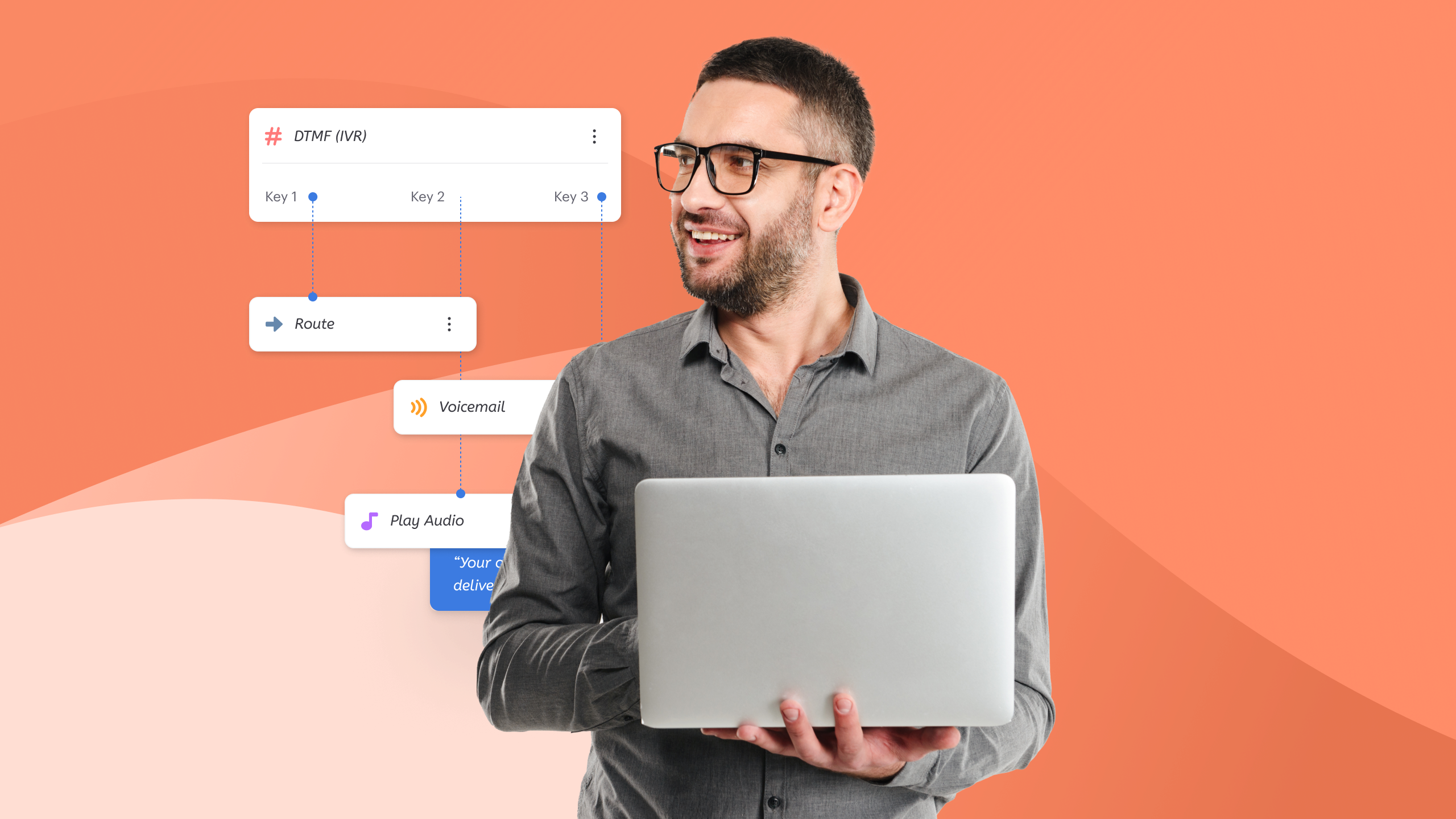
“Thank you for calling. Press 1 for sales, 2 for support, 3 for billing.” The caller presses 2 and lands in the support queue. Nothing gets looked up, nobody is identified, and the whole job is deciding which destination applies, with fallbacks to an operator or a mailbox when nobody picks up. IVR systems handle basic call routing in exactly this way when configured minimally.
Useful behavior still sits behind that simplicity: schedules for opening hours, holiday overrides, different messages by dialed line, and overflow rules. None of it requires knowing anything about the individual on the line, which is why it deploys in an afternoon.
IVR example: data-aware self-service flow
“Enter your account reference to hear your current balance.” The system collects the digits, checks them against a record, verifies identity, and speaks the answer back. Order status, outstanding balance, appointment confirmation. Nobody reaches a person unless they ask or the request falls outside what the flow covers.
Accuracy matters more here. A routing mistake wastes thirty seconds; a wrong balance read aloud creates a complaint, occasionally a regulatory one. Finance and healthcare operations gate these flows behind stricter verification for that reason, which adds steps and some friction the caller would rather avoid.
How Callers Give Input: Keypad, Speech, or Natural Language
Input method is a separate axis from capability, and conflating the two causes half the confusion in vendor conversations.
Worth stating plainly, because vendors muddle it: a menu can accept speech and still do nothing but route, while a flow driven entirely by keypresses can resolve genuinely useful requests. Input method tells you how customers communicate their choice. Capability tells you what the system does with it afterward.
DTMF: pressing keys
Dual-tone multi-frequency signaling, the tones your keypad generates, remains the most reliable input available. It works in noise, across accents, on poor lines, and it produces unambiguous values. Plenty of sophisticated self-service flows run entirely on digits, which is worth remembering before anybody insists that touch-tone is obsolete.
Speech recognition: saying a predefined option
Here the caller speaks a word or short phrase matched against expected options: “billing”, “make a payment”. Adding speech to a simple menu leaves it doing exactly what it did before, so this is a front-end choice rather than a category change. Recognition quality varies with background noise, accent, and vocabulary breadth, and it degrades worst precisely when somebody is calling from a moving car.
Conversational voice AI: describing the problem
The newest layer accepts natural language. Somebody explains their situation in their own words and the system interprets intent rather than matching a keyword. That is a genuinely different mechanism, covered separately in the comparison between AI voice agents and menu-driven flows, and it does not make the underlying routing rules disappear.
Everything your team needs in one platform
Side-by-Side Comparison
| Dimension | Routing menu | Data-aware flow |
| Knows who is calling | No | Yes, once identity is captured |
| Ongoing upkeep | Occasional prompt edits | Testing whenever a source changes |
| Failure when overloaded | Deep menus, lost callers | Broken lookups, silent dead ends |
| Cost profile | Usually bundled | Priced by tier, minutes, or integration |
| Best fit | A handful of destinations | Repeatable requests with a data answer |
Those rows describe typical implementations rather than hard boundaries. Plenty of deployments sit between the columns: a menu with one clever branch, or a self-service flow that only checks opening hours.
The Question That Decides It
Forget which label suits your operation. Ask a narrower question and the answer usually settles itself: does the front door need to know anything, and can it find out reliably?
Count what could finish without a person
Pull two weeks of inbound and sort by reason. For each category, ask whether the answer lives somewhere a machine could read it. Delivery status? Probably. Contract negotiation? Obviously not. As a practical rule of thumb, if only a small minority of contacts could end with a lookup, the integration effort may be hard to justify.
Do this with actual dispositions rather than from memory. Every operations lead I have spoken to has a confident theory about their inbound mix, and the wrap-up data usually disagrees by a wide margin.
The cost of guessing wrong runs one way
Here is the asymmetry I find people miss. Building too much on straightforward traffic produces a long tree that annoys everyone and resolves little. Building too little just sends work to agents, which costs money but keeps callers moving. Under-building is recoverable. Over-building creates a maze you then have to defend internally, and nobody wants to admit the maze was their idea.
When the analysis lands close to the line, the smaller option is the safer error. You can add a branch next quarter. Removing one after training staff, printing materials, and telling people to press four is a slower unwind than anybody expects, particularly once the menu appears on invoices and signage.
Integration work is the hidden line item
Quotes cover licensing. They rarely cover the fortnight your developer spends on authentication, field mapping, and edge cases nobody documented. Whoever owns the CRM will rename a field eventually, and unless somebody owns the connection, the first sign of trouble will be a caller hearing silence where a figure should be.
Menu Design Is the Real Bottleneck
Both options fail for the same reason, and it has little to do with technology.
How much a caller can hold at once
Nelson Cowan’s 2001 review in Behavioral and Brain Sciences argued that short-term storage holds roughly four items, not the seven often quoted from Miller’s 1956 paper, once conditions prevent people from grouping items together (Cowan, 2001). A phone menu is close to a worst case for grouping: options arrive one at a time, in audio, while the listener is often distracted.
Treat four choices per level as a working ceiling, five at a push. That study concerned laboratory memory rather than telephony, so the mapping is an informed inference, but it matches what happens when you listen to recordings of people meeting a seven-option tree.
Depth versus breadth
Fewer options per level with more levels, or more options at the top? Depth tests patience; breadth tests memory. My preference leans shallow, two levels at most, because every extra layer adds a place to get lost.
The counterargument deserves room. Deep trees work well for repeat callers who already know the sequence and punch it in before the prompt finishes. If most volume comes from the same accounts week after week, depth costs them little and saves your agents plenty.
Leave the exit visible
State the route to a person, out loud, early. Gartner surveyed 5,728 people in December 2023 and found only 14% of issues fully resolved in self-service, though 73% try it at some stage, with 45 percent of those starting there feeling the business had not understood what they wanted (Gartner, 2024). Most paths end with an agent regardless, so hiding the escape buys nothing except resentment. Whatever the customer experience team measures afterward, the first fifteen seconds of the recording usually explain the score better than any survey question.
Which Setup Fits Your Traffic
Signs plain routing is enough
- A handful of destinations covers nearly everything
- Requests need judgment more than data
- Volume stays modest and predictable
- No system holds an answer worth reading aloud
A clinic, a law practice, a trades business: these rarely need more. Call forwarding to mobiles after hours, a decent recorded message, done. The tempting mistake at this size is buying capability against a hypothetical future.
Signs you need lookups
- One request type dominates and always has a data answer
- Agents spend their day reciting figures from a screen
- Peaks overwhelm staffing and repeat questions drive them
- Identity can be verified with something a caller knows
Utilities, lenders, logistics, ticketing. When agents act as a slow interface to a record, automation earns its keep, and the payback shows up in shorter queues rather than in headcount reduction. One caution: verification quality decides whether any of this works.
The hybrid most operations end up with
Realistically you build both. A short routing tree at the top, one or two automated paths behind the busiest option, everything else going to queues. Nobody plans it that way at the outset, yet that is the shape most mature phone system deployments settle into.
Getting there iteratively also beats designing it upfront. Ship the tree, watch three months of dispositions, then automate the single largest repeatable category. Stop when the numbers no longer justify the next one, which they often won’t past the second or third flow.
Volumes matter here too. An operation handling forty calls a day will struggle to gather enough evidence for confident redesign, so judgment fills the gap; at four thousand, the data decides for you.
Mistakes Worth Avoiding
- Writing the menu around your org chart. Callers do not know that billing and collections are separate departments. Name outcomes instead: “pay a bill”, “chase an order”.
- Burying the operator option. People press zero regardless, so refusing to acknowledge it only adds a loop.
- Recording prompts once and never revisiting. Traffic mix changes. Trees rarely get re-examined until complaints surface.
- Treating containment as the goal. A contained call that solves nothing returns tomorrow, angrier.
- Long messages before the options. Trading conditions and marketing lines belong after the menu, if anywhere.
- Skipping the failure path. Decide in advance how the flow behaves when a lookup times out, rather than finding out at 4pm on a Friday.
- Testing only from the office. Mobile networks, older handsets, and poor lines behave differently from your desk phone.
- Leaving prompts in one language. If a meaningful slice of your market speaks something else, offering the choice first costs eight seconds.
Frequently Asked Questions
Is an auto attendant the same as IVR?
Not exactly. An auto attendant mainly routes callers to departments, extensions, queues, or voicemail, while IVR supports both routing and richer self-service such as account lookups or payments. Telecom convention treats them as distinct products, since IVR historically implied integration work and development cost. On modern cloud platforms the capabilities overlap considerably and both are often configured in the same call-flow builder, which is why vendors describe them inconsistently and why comparison pages disagree with each other.
Which is better, an auto attendant or IVR?
Neither is inherently better; they answer different problems. Choose plain routing when callers mainly need to reach the right department and no connected system holds an answer worth speaking aloud. Choose richer IVR functionality when a repeatable share of contacts could be completed through a lookup or automated workflow, and when identity can be verified. Most operations eventually run both, with a short routing tree in front and self-service behind the busiest option.
Is an auto attendant the same as a virtual receptionist?
Not quite, though the terms overlap in marketing. A digital receptionist usually means the recorded routing menu described here. Some vendors use “virtual receptionist” for a live answering service staffed by people, and others now apply it to AI receptionists that hold a natural conversation. Before signing anything, ask whether the product plays prompts, employs humans, or generates speech, because those three carry very different price tags and capabilities on a live line.
Can a small business run an IVR without a contact center platform?
Yes. Most cloud telephony providers include a flow builder capable of collecting digits and branching, whether or not you run queues or agent desktops. The constraint is integration: retrieving an order status still requires a connection to whatever holds that record. Businesses without an API-accessible source generally stop at routing, which is a sensible place to stop rather than a limitation worth engineering around at considerable expense. Start with whatever record you already expose.
Does either option work with a hosted PBX?
Generally yes, since both are features of the platform rather than separate purchases in most modern deployments. Older on-premise equipment sometimes requires a licensed module, and a few legacy systems cap how many menu levels you can create. If you are still running hardware, confirm that ceiling before designing anything elaborate, since discovering a two-level limit halfway through a build is an entirely avoidable frustration. Ask your provider in writing.
What should happen when a caller presses nothing at all?
That path deserves a deliberate decision, because a surprising share of people simply wait. Common handling repeats the prompt once, then defaults to an operator, a queue, or voicemail. Rotary dialing is long gone, yet silence still signals confusion, distraction, or a handset sitting forgotten in somebody’s pocket. Defaulting to a human suits low-volume operations, while busier teams tend to repeat the prompt once and then route to whichever destination sees most traffic.
How long does implementation take?
A routing menu takes an afternoon: record prompts, map destinations, test each branch. A lookup-driven flow realistically runs three to eight weeks in my experience, most of it spent on integration, error handling, and testing rather than on the menu. Teams consistently underestimate the testing, particularly for what happens when the connected system is slow or down. Build the failure behavior first and everything after it moves faster. Prompt recording is usually finished last rather than first.
Building Your Front Door in Voiso
Voiso handles both patterns in one place. The Flow Builder creates routing trees and data-aware paths on the same visual canvas, with IVR nodes, text to speech for prompts you can edit without a studio session, and queueing behind whichever branches need people. Building a multi-level menu does not require a separate product or a different contract.
Teams ready to go further can put natural-language agents in front of the tree, letting people state what they want in their own words while routing rules still decide where they land. Reporting matters more here than it sounds: without per-branch figures you are guessing about which options get chosen, how many abandon mid-menu, and where the tree quietly sends people to the wrong place.
Ready to redesign what happens when someone dials your business? Talk to the Voiso sales team about your current flow, your traffic mix, and what could reasonably be resolved before an agent picks up.
Sources referenced in this article
- Gartner Information Technology Glossary. IVR (Interactive Voice Response). gartner.com
- Van Meggelen, J., Bryant, R. and Madsen, L. Asterisk: The Definitive Guide, 3rd Edition, Chapter 15: The Automated Attendant. O’Reilly Media. oreilly.com
- Cowan, N. (2001). The magical number 4 in short-term memory: A reconsideration of mental storage capacity. Behavioral and Brain Sciences, 24(1). doi.org
- Gartner (August 2024). Only 14% of Customer Service Issues Are Fully Resolved in Self-Service. gartner.com