


 All Products

.svg)





Call Queue Software
Keep inbound calls organized and moving efficiently
Manage high call volumes with intelligent call queuing tools built to reduce wait times, improve routing, and help support teams stay responsive.


Design your full queuing experience
Intelligent call queuing
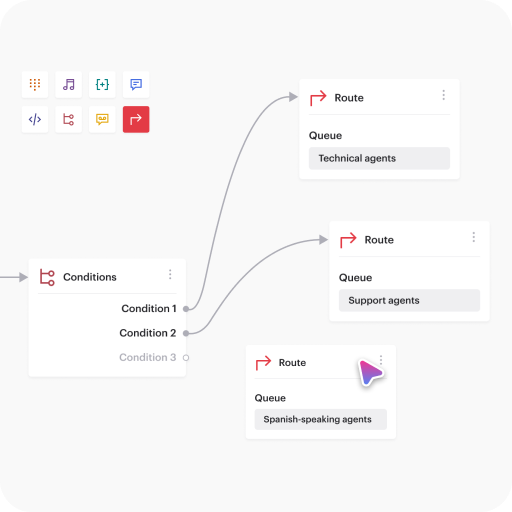
Voiso’s Call Queuing intelligently routes calls to the best available agent based on skills, language, or priority.
This reduces wait times and ensures efficient, customer-focused support.
Optimize agent management
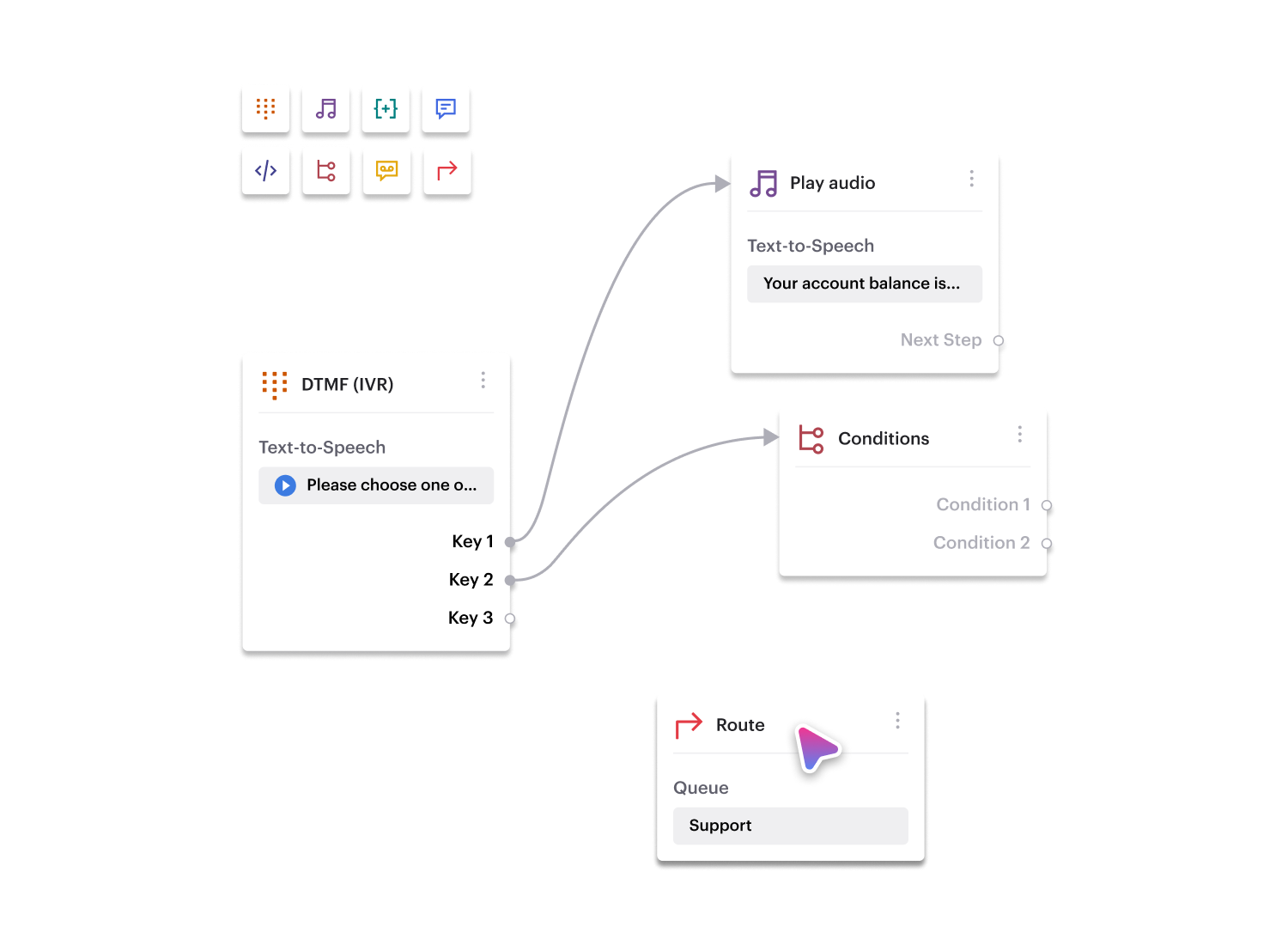
Voiso’s Call Queuing optimizes resource allocation by allowing agents to move between queues based on real-time demand.
Adjust staffing dynamically to reduce wait times and improve contact center efficiency.

Real-time queue monitoring
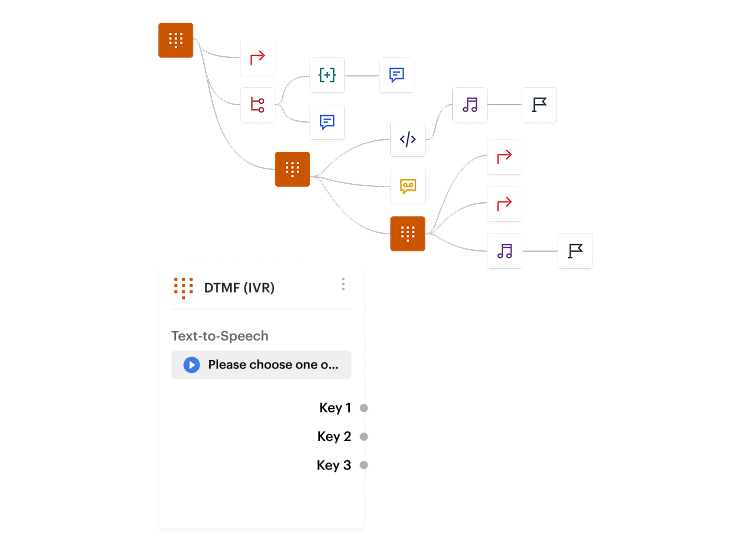
Voiso’s real-time monitoring provides full visibility into call queues.
Track queue length, wait times, and agent activity to manage demand, identify bottlenecks, and optimize resources.
Leverage historical data to spot trends and drive improvements.

Help support teams stay responsive during peak inbound demand
customers




Get started in less than 24 hours
FAQs on Voiso's Call Queue Software
What is Call Queuing?
Call Queuing is a telephony system feature that manages incoming calls when all agents are busy. It places callers in a virtual queue, providing them with estimated wait times and other relevant information while they wait for an available agent. This helps to ensure that no calls are missed and that customers receive timely assistance.
How does Call Queuing work?
Call queuing places incoming calls in a virtual waiting line when all agents are busy. The system holds calls in order, often providing queue announcements or estimated wait times, and then automatically connects the next customer in line to the next available agent. Below are the key steps and components:
Queue Activation
If no agent is free, new calls enter a queue rather than receiving a busy signal or going straight to voicemail.
Position & Wait Time
Callers often hear a message indicating their queue position and estimated wait time, improving transparency and reducing hang-ups.
Music or Messages on Hold
Systems typically play hold music or informational prompts to keep callers engaged and reduce perceived waiting time.
Agent Availability
When an agent finishes their current call, the system automatically routes the next caller in queue to that agent.
Prioritization & Routing Rules
Some systems prioritize certain callers—like VIP customers or urgent support requests—by placing them ahead in the queue or directing them to specialized agent groups.
Callback Options
Many modern setups offer a callback feature, letting callers choose to hang up and receive an outbound call once it’s their turn.
Real-Time Monitoring & Reports
Supervisors track queue metrics (e.g., average wait time, abandonment rate) and can adjust staffing or routing rules to maintain service levels.
By efficiently matching waiting callers to available agents, call queuing helps contact centers manage high volumes, reduce abandoned calls, and maintain a positive customer experience.
What are the benefits of Call Queuing?
Call Queuing offers several advantages for businesses:
- Improved customer satisfaction: By reducing wait times and providing a more organized call handling process, Call Queuing helps to enhance the overall customer experience.
- Increased agent productivity: Agents can focus on handling calls without the distraction of manually managing queues, leading to improved efficiency and better customer interactions.
- Optimized resource allocation: Call Queuing allows businesses to dynamically allocate agents based on real-time call volumes, ensuring that resources are used effectively and efficiently.
- Enhanced professionalism: A well-managed queue system projects a professional image and demonstrates a commitment to customer service.
- Valuable insights: Call Queuing systems often provide detailed reports and analytics on queue performance, enabling businesses to identify areas for improvement and make data-driven decisions.
What happens when the queue reaches its maximum capacity?
Voiso enables real-time queue management through its live dashboards, allowing supervisors to monitor queue length, wait times, and agent activity. While the documentation does not explicitly mention a maximum queue capacity, Voiso provides tools to manage high call volumes effectively:
- Agent Reallocation: Supervisors can move agents between queues dynamically based on call volumes.
- Flow Builder Automation: Calls can be routed based on predefined conditions, potentially redirecting overflow calls.
- Skills-Based Routing: Ensures that calls are distributed to available agents with the right expertise.
- Historical Data Insights: Supervisors can use past trends to adjust staffing and optimize queue performance.
How does call queuing integrate with Voiso’s analytics tools?
Voiso’s call queuing system is fully integrated with its real-time dashboards and AI Speech Analytics, providing deep insights into queue performance and agent efficiency.
- Real-Time Monitoring: Supervisors can track key metrics such as queue length, average wait time, abandoned calls, and agent availability in live dashboards.
- AI Speech Analytics: Every queued call can be transcribed and analyzed for sentiment, keywords, and agent performance, helping identify pain points in customer interactions.
- Historical Reporting: Voiso stores queue data over time, allowing managers to spot trends, predict peak call volumes, and adjust staffing accordingly.
- Call Scoring & Summaries: AI-generated insights help assess queue interactions, ensuring that customer concerns are addressed efficiently.
Can I monitor real-time data on call queues?
Yes, Voiso provides real-time monitoring for call queues through its live dashboards. Supervisors can track:
- Queue length – See how many callers are waiting at any given moment.
- Average wait time – Monitor customer wait times to ensure fast resolutions.
- Agent activity – View which agents are available, on a call, or idle.
- Abandoned calls – Identify dropped calls and adjust staffing accordingly.
What is call queue management?
Call queue management in Voiso refers to the real-time organization and distribution of incoming calls to ensure efficient handling of high call volumes. Voiso’s system allows businesses to:
- Prioritize Calls – Route VIP customers or urgent calls to the most skilled agents.
- Distribute Workload – Assign calls based on agent availability and expertise using skills-based routing.
- Monitor Queue Performance – Track key metrics like queue length, wait times, and abandoned calls in real-time.
- Optimize Staffing – Use historical data to predict call volume trends and adjust agent allocation accordingly.
How to set up a call queue in Voiso?
Setting up a call queue in Voiso is done through the Flow Builder, an intuitive drag-and-drop tool that allows you to design your call routing logic. Follow these steps:
-
Access Flow Builder
Log into your Voiso account.
Navigate to the Flow Builder section. -
Create a New Call Flow
Start a new flow and select the “Route” component.
Define how incoming calls should be routed (e.g., to a specific queue, department, or priority group). -
Configure Queue Settings
Set up queue priorities (e.g., VIP customers first).
Define maximum wait times before redirecting calls to voicemail or another queue.
Enable skills-based routing to connect callers with the most qualified agents. -
Add Failover Options (Optional)
Set rules for overflow calls (e.g., redirect to another queue or voicemail if the queue is full).
-
Test and Activate
Run test calls to ensure the queue functions correctly.
Activate the call flow to begin handling calls.
What are the core features of a call queuing tool?
Virtual Waiting Lines
- Automatically place incoming calls in queues when all agents are busy, avoiding busy signals or voicemail drops.
Position & Wait Time Announcements
- Inform callers of their queue position or estimated wait time, reducing abandonment rates and improving transparency.
On-Hold Content
- Play music or recorded messages while callers wait, providing updates or promotional info.
Prioritization & Routing Rules
- Prioritize VIP customers or certain call types, ensuring the most critical calls are answered first.
Callback Options
- Offer callers the choice to request a callback instead of waiting on hold.
Real-Time Monitoring & Reporting
- Give supervisors insight into queue lengths, wait times, and agent availability, allowing adjustments as needed.
Integrations & Customization
- Connect with CRM or workforce management systems for data-driven routing and tailored queue experiences.
How does call queuing reduce wait times?
Call queuing ensures incoming calls are systematically distributed to the next available agent, keeping the flow continuous and preventing callers from encountering busy signals or disconnections. By centralizing all waiting calls, the system can optimize agent workloads and reduce time lost between calls. Additionally, features like estimated wait time announcements and callbacks minimize perceived wait and let managers adjust staffing or routing strategies in real time, ultimately shortening the overall wait for each caller.
What if callers don’t want to wait on hold?
Many call queuing systems include a callback feature. Instead of waiting on hold, callers can opt to receive an automated callback when it’s their turn. This alleviates frustration, reduces abandoned calls, and keeps the queue moving smoothly. When an agent becomes available, the system automatically dials the customer’s number and connects them, improving both the customer experience and contact center efficiency.
How do I integrate Voiso’s call queuing with my existing systems?
- Enable Voiso API Access
– In your Voiso admin panel, ensure API access is enabled and generate any required authentication credentials (API keys, tokens, or OAuth configurations). - Identify Integration Points
– Determine what data you need to share. Common points include customer profiles, call logs, and agent availability.
– Align these fields with your CRM or other systems (e.g., Salesforce, HubSpot, ticketing platforms) to map data correctly. - Configure Call Events & Callbacks
– Set up “webhooks” or “callbacks” in Voiso so real-time call events (e.g., queue entry, agent connection, call end) are pushed to your external system.
– Use these events to update tickets, contact records, or dashboards automatically. - Sync Caller Data
– If you have caller info stored externally (e.g., account IDs, purchase history), configure an API call or database lookup when a call is queued.
– This enriches Voiso with context, so agents can see customer details or prioritize certain callers. - Customize Routing Logic
– With your system integrated, you can adjust routing based on external data. For example, VIP customers identified in your CRM may jump the queue or route to a specialized team. - Test & Validate
– Simulate multiple call scenarios, like high-volume queues or VIP calls, to confirm data flows as intended between Voiso and your existing systems.
– Check logs or dashboards to ensure the right information is captured and displayed. - Monitor & Optimize
– Regularly review logs, API usage, and call metrics for errors or inefficiencies.
– Adjust your API requests, data mappings, or routing rules as business needs evolve.
For detailed, account-specific steps, consult Voiso’s documentation or reach out to our support team. Once integrated, you’ll enjoy seamless data sharing across platforms and more informed call queue management.