





Multi Level IVR System
Smarter Menus, Happier Callers
Voiso’s multi-level IVR system helps callers reach the right place, faster. Build intuitive menus, route by intent, and give customers 24/7 access to support without clogging up live agents.
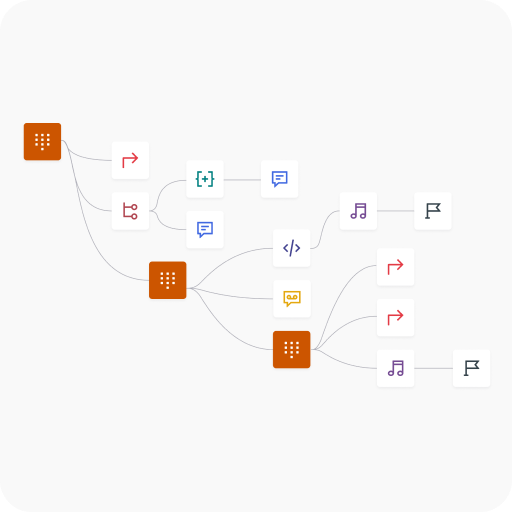


Your IVR, Your Way
Real-Time IVR Editing
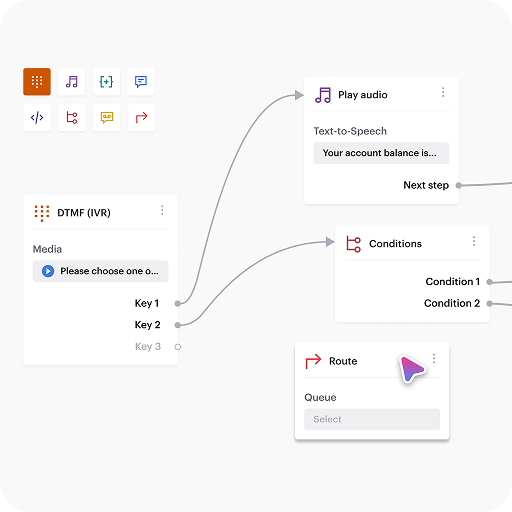
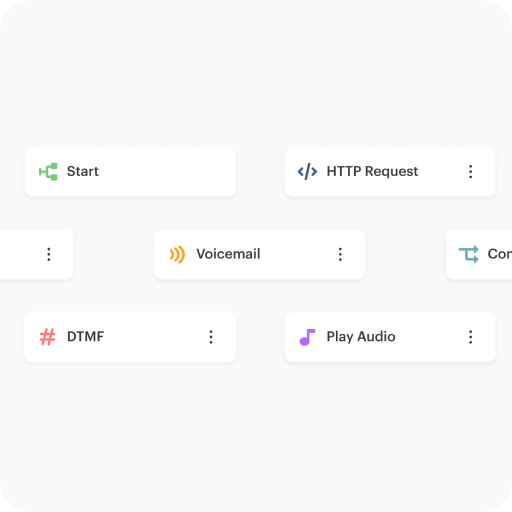
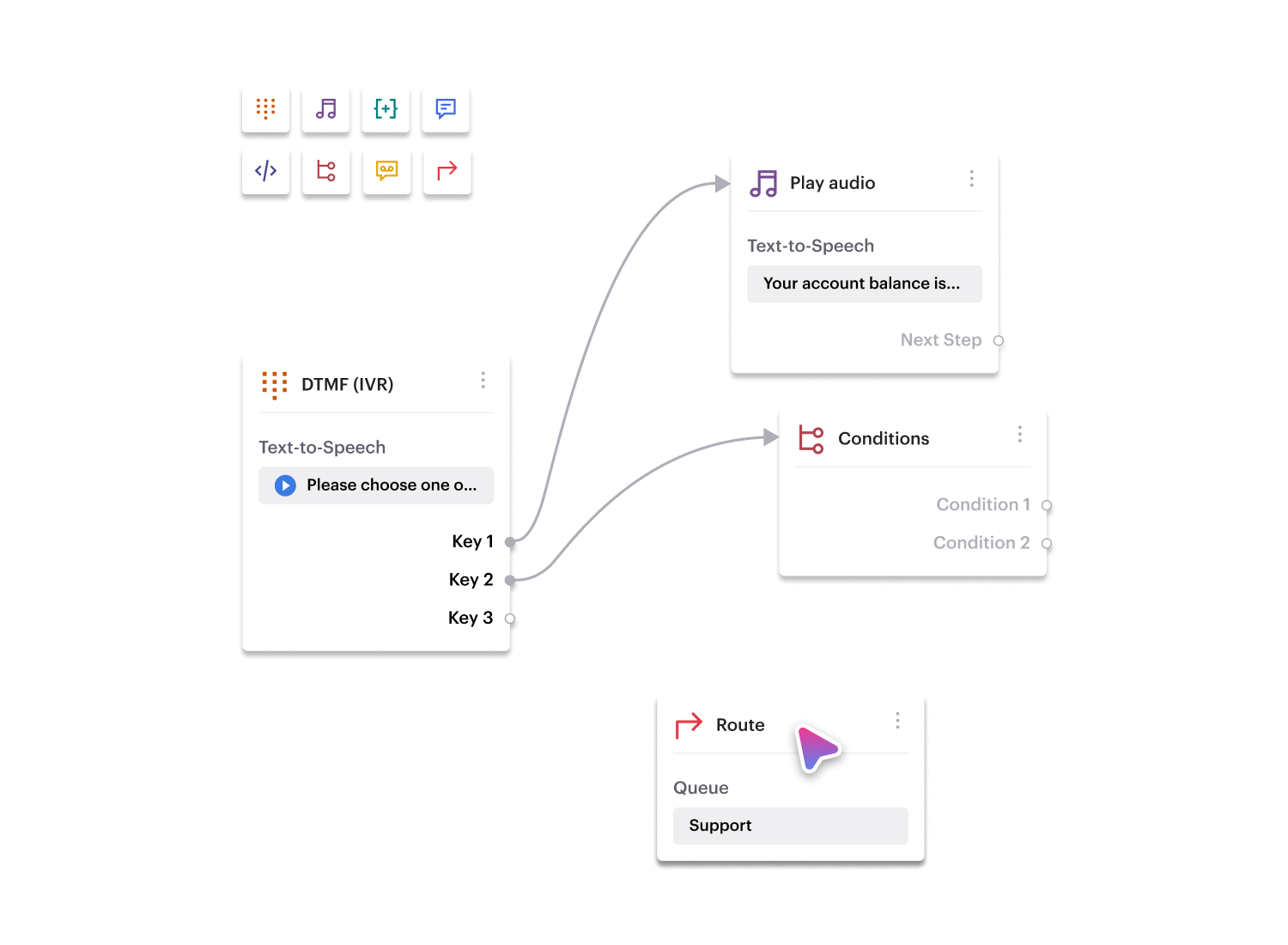
Voiso’s visual call flow editor puts your IVR logic in your hands, not your dev team’s.
Make live changes to menu options, prompts, or routing paths with zero downtime.
It’s built for agility, so you can adapt flows as fast as customer needs change.
Personalized Routing at Scale
Route calls based on known customer attributes, like language, location, or account tier, using data pulled in real time from your CRM.
With dynamic routing, you deliver a tailored experience to every caller without creating dozens of static menus.
Personalization doesn’t have to be complex; Voiso makes it automatic.
Smarter Failovers and Escalations
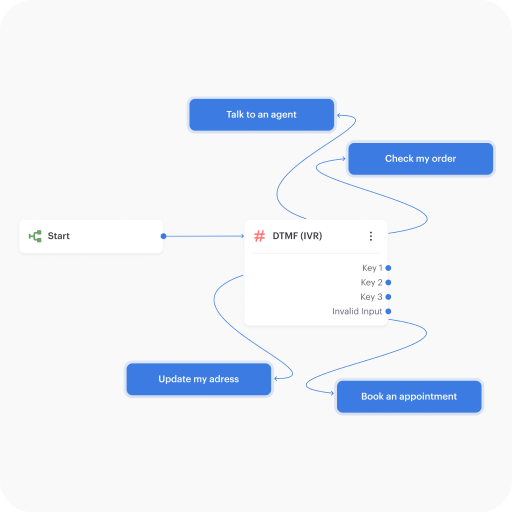
Don’t let dropped inputs or long wait times break the customer journey.
Voiso’s IVR lets you define fallback paths and escalation rules with precision, from keyword triggers to SLA thresholds.
You stay in control, and your callers always have a path forward.
Performance That Speaks for Itself

customers




Get started in less than 24 hours
FAQ
What’s the best way to measure if a multi-level IVR system is working effectively?
When it comes to tracking IVR success, it’s tempting to focus on completion rate or how many people navigated the menu correctly. But that’s just a piece of the puzzle. A better question might be, are people actually reaching the outcome they needed? You could look at abandonment rate, yes, but pair that with things like agent handoff frequency and post-call satisfaction ratings. If the IVR is doing its job, it’ll act like a filter and a guide, moving simple queries to automated responses and nudging complex ones to the right human. One indicator that often goes unnoticed? Call repeat rate. If callers keep ringing back for the same issue, something’s probably off in the IVR experience, maybe a missing option, unclear voice prompts, or just a poor flow. Metrics are only meaningful when they’re telling you a story. So look for patterns, not isolated numbers.
Can an IVR system improve customer trust, or does it mostly frustrate people?
It depends entirely on how it’s built and used. A well-structured IVR can absolutely build trust, because it gives customers a sense that they’re being “heard,” even before an agent picks up. For instance, if the menu quickly gets them to the right department, or lets them complete a simple task without waiting, it shows respect for their time. But, and it’s a big but, if the system is clunky, unclear, or seems to trap people in a loop, it has the opposite effect. Nobody enjoys shouting “AGENT!” into the phone three times just to break out of a dead-end menu. So yes, IVRs can support trust, but only if they work. That means frequent testing, tuning based on feedback, and staying away from over-automation where human input is still essential. Trust doesn’t grow in silence, it’s built by making every interaction a little easier than expected.
What happens if a caller doesn’t make a selection in an IVR menu?
This is one of those small things that can have a surprisingly large impact. If someone doesn’t press or say anything during a menu prompt, a few things can happen depending on how the system’s set up. Sometimes, they get looped back to the beginning, which can feel endless. Other times, there’s a time-out rule that pushes them to an agent after a short delay. But here’s the tricky part: not all silence is indecision. Maybe the caller didn’t hear the menu. Maybe they were driving or multitasking. Or perhaps the prompt was too fast or complicated. A good IVR system, like Voiso’s, lets businesses configure these moments with empathy, add a replay, repeat with slower pacing, or offer voice command shortcuts. Ignoring that silence means missing a chance to help. And frankly, that’s a missed opportunity no call center can afford.