





Contact Center Recording Software
Every call, crystal clear and audit-ready
Record and revisit every interaction — across voice, chat, and more — with secure, searchable archives. Voiso’s contact center recording software simplifies compliance, coaching, and quality control in one place.
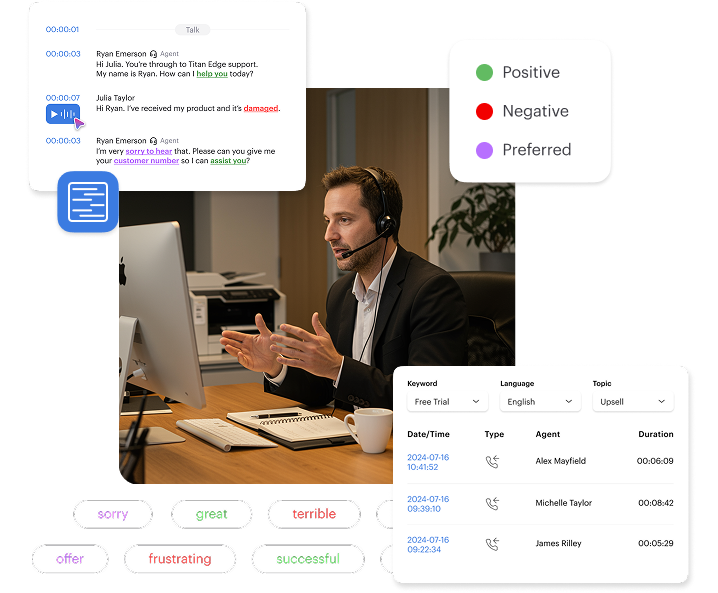


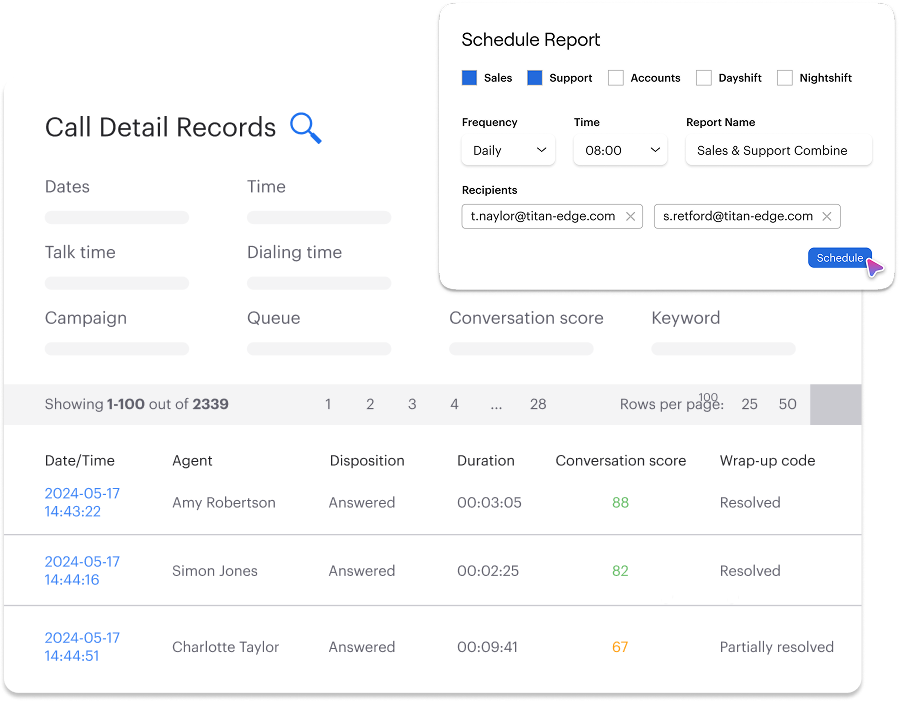
Your data, on demand
Train smarter, faster
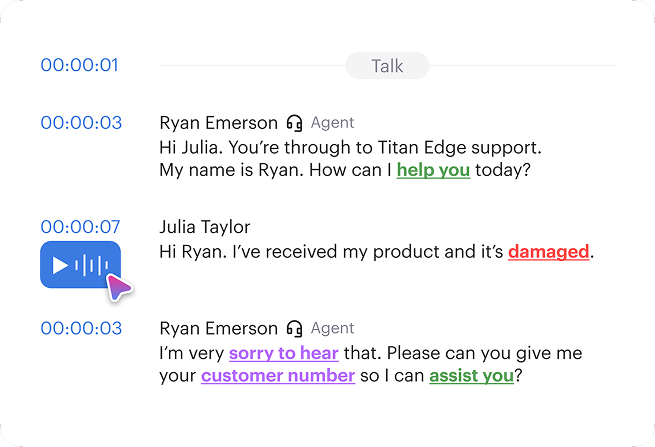
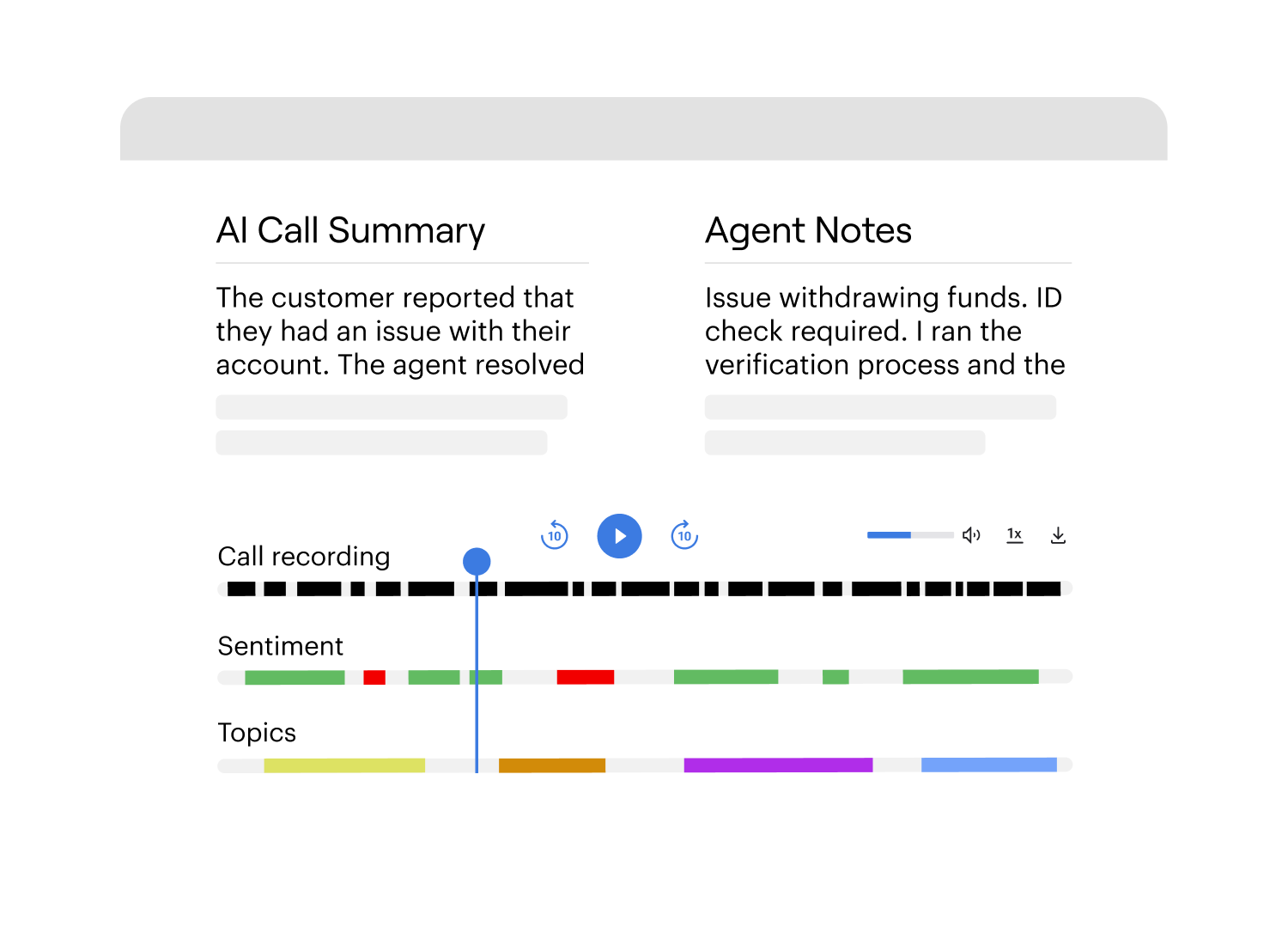
Transform call recordings into actionable coaching tools with annotated playback and timestamped notes.
Use real interactions to reinforce scripts, tone, and issue resolution techniques, while tracking coaching impact over time through agent-specific call archives.
Strengthen compliance & audit trails
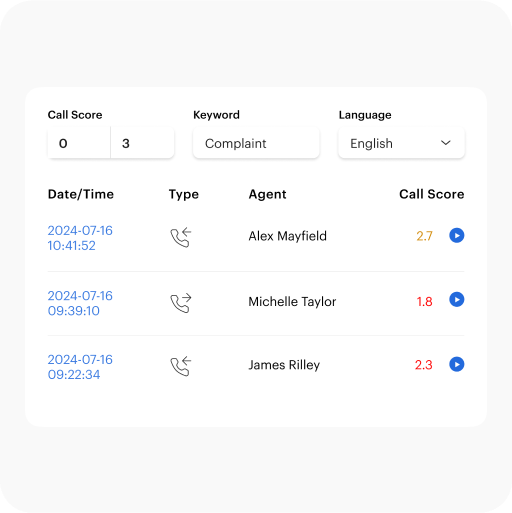
Maintain full regulatory readiness with encrypted call logs and searchable playback.
Filter recordings by team, campaign, or keyword for faster audits, and set custom retention rules that align with your organization’s compliance requirements.
Analyze interactions at scale
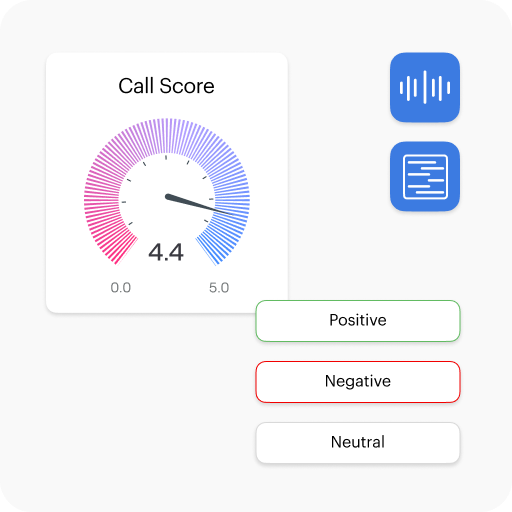
Uncover trends across thousands of calls with built-in speech analytics.
Identify high-performing scripts, detect customer frustration triggers, and pinpoint silent pauses to drive workflow improvements in real time without manual review.
Secure Access & Playback

customers




Get started in less than 24 hours
FAQ
How do I know if call recording is legal in my country or industry?
That’s a tough one because the answer isn’t always clear-cut. It depends a lot on where your business is located, and sometimes even where your customers are located. Some countries require one-party consent, meaning only one person on the call (usually the agent) needs to know it’s being recorded. Others enforce two-party consent, which requires both sides to agree. Regulations like GDPR in Europe, HIPAA in the U.S. for healthcare, or PCI DSS for payment data each add their own layers. It’s essential to consult your legal team or compliance officer before flipping the switch. But Voiso does help you stay on the right side of things: you can enable automated call disclaimers, restrict recording of sensitive moments, and set location-based rules if needed.
What makes Voiso different from other recording software options?
Most recording tools either focus on storage or playback, and honestly, that’s where they stop. Voiso goes a few steps further. Yes, we record and store calls securely, but we also analyse them, help categorise them automatically, and give you tools to act on what you hear. You get speech analytics baked in, emotional tone tracking, AI-powered keyword detection, it’s not just a vault, it’s a coaching engine. Plus, since it’s all cloud-based, there’s no server room to worry about, no massive IT lift. Updates roll out automatically. Agents can be remote, hybrid, or in-office, it works the same way. And perhaps most overlooked, the UI is clean. Really clean. You won’t be hunting through menus or calling support every week to pull a recording. It’s built for busy people.
Can I decide which calls to record and for how long?
Absolutely. You’re in control. Maybe you only want to record inbound support calls but skip internal meetings. Or perhaps you need to log every customer interaction but delete them after 90 days to stay compliant. Voiso lets you configure all that. You can filter by agent, by department, by call type, even by campaign. And when it comes to retention, you set the rules. Keep critical calls for a year? Auto-delete after 30 days? Only archive high-risk interactions? All doable. Plus, you can assign different rules to different teams. So your legal team’s calls stick around longer than your marketing follow-ups. It’s flexible because we know every contact center runs a little differently.
Is Voiso's recording solution suitable for small teams?
Honestly, yes. Some folks assume tools like this are built only for sprawling call centers with a hundred agents on shift. But small teams need quality control too, and maybe even more so. With Voiso, you’re not stuck paying for bloated packages. You can start small, just a handful of seats, and scale only when you need to. The pricing is sensible, the interface is intuitive (you won’t need weeks of training), and the support team is responsive. So whether you’re running a boutique support line, a small sales team, or a growing startup with growing pains, Voiso fits. We’ve seen two-person teams use our software as effectively as enterprise groups. Because consistency and accountability aren’t only for the big guys.
What Is Contact Center Recording Software?
Contact center recording software captures and stores customer interactions across multiple communication channels for analysis, training, and compliance purposes. The technology automatically records conversations between agents and customers, creating permanent archives of every interaction within your organization.
Modern recording systems capture voice calls, screen activities, video calls, live chat sessions, email exchanges, and messaging app interactions. This omnichannel approach provides complete interaction histories rather than fragmented conversation pieces scattered across different platforms.
Recording serves several critical purposes. Training programs become more effective using real customer interactions as learning examples. Legal protection comes from objective evidence when disputes arise or regulatory audits occur. Customer satisfaction improvements follow from identifying patterns in service failures and successful resolution strategies.
Voiso’s voice recording capabilities operate through secure cloud infrastructure that captures calls automatically without complex on-premise hardware. The system records inbound, outbound, and internal calls while maintaining high audio quality through reliable cloud storage accessible from anywhere.
What Are The Key Features of Voiso's Recording Tool?
Secure Cloud-Based Recording
Always-on recording captures every call automatically without manual activation. The system operates continuously, ensuring no interactions get missed due to human error. Encryption protects data during transmission and storage using enterprise-grade security standards.
Role-based access controls determine who can access specific recordings. Senior managers get unrestricted access while team leads only see recordings from their direct reports. Retention policies automatically archive older recordings and delete expired content according to predefined schedules, ensuring compliance while managing storage costs.
Omnichannel Recording Capabilities
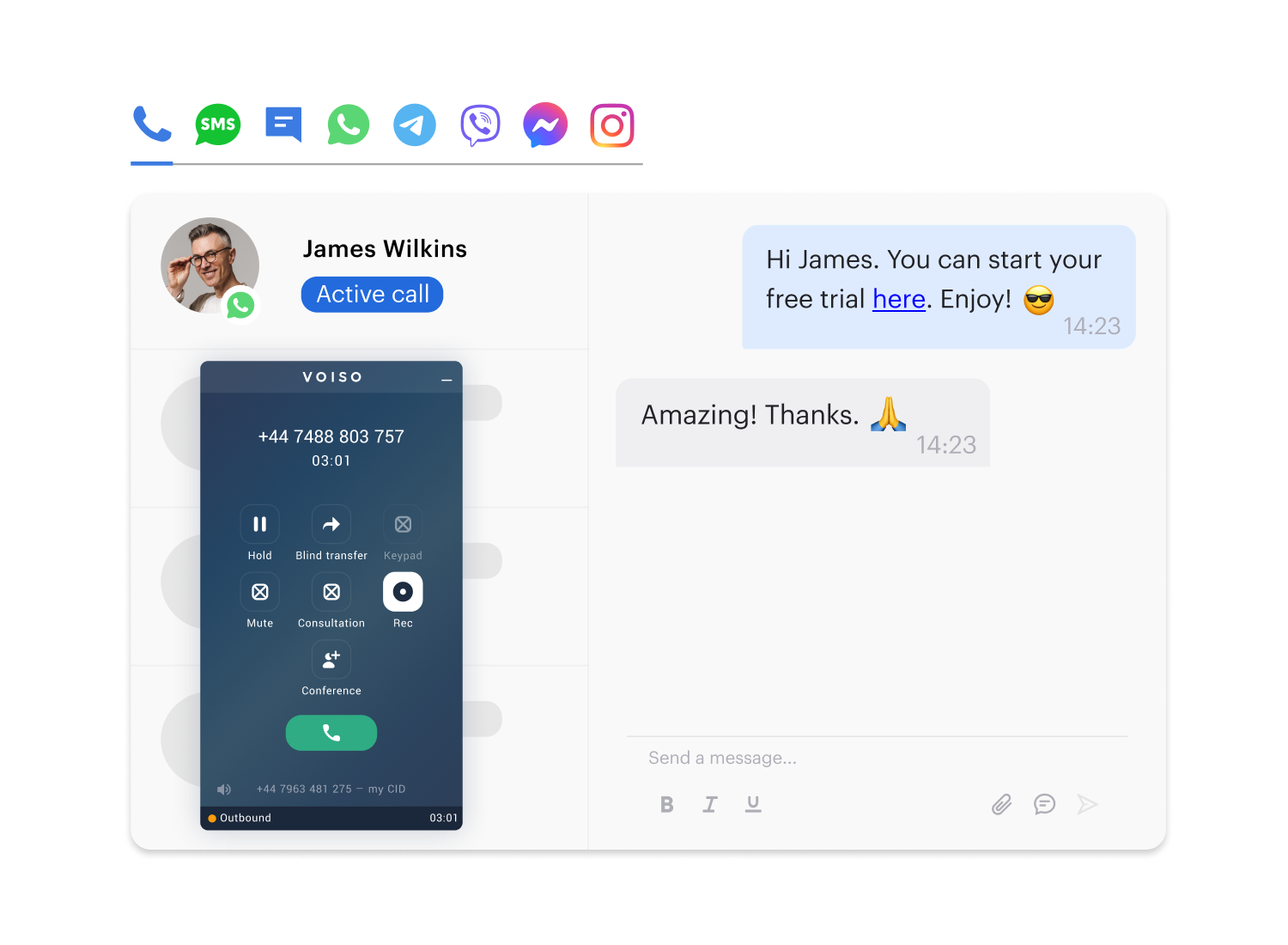
Recording across voice, chat, email, and messaging apps creates unified interaction histories. Rather than searching through separate systems, all communication channels appear in centralized timelines.
Channel-specific filters enable quick location of particular interaction types when reviewing histories or searching for training examples. Cross-channel analytics reveal how customers move between communication channels and which produce the best outcomes for different issue types.
Smart Tagging and Call Bookmarking
Adding markers during or after calls highlights key moments for future reference. Agents can bookmark important sections while conversations happen, while supervisors add tags during monitoring or later review.
Thematic categories organize recordings by topics, issues, or outcomes for faster lookup. Organizations can create tag systems reflecting their specific needs – categorizing calls by product types, complaint categories, or resolution methods. Searchable databases allow supervisors to find patterns across multiple recordings.
Integrated Speech Analytics
Voice-to-text transcription converts recorded conversations into searchable text documents, enabling keyword searches across entire databases. Keyword flagging automatically identifies interactions containing important terms like “cancel,” “refund,” or “angry.”
Emotional tone analysis examines vocal patterns and speech pace to identify customer sentiment and agent performance indicators. Integration with agent scorecards connects analytics insights directly to performance evaluations and coaching programs.
Real-Time Monitoring and Playback
Live whisper mode allows supervisors to provide real-time guidance without customers hearing the coaching. Barge-in capabilities enable supervisors to join conversations directly when situations require immediate intervention.
Side-by-side screen and voice playback creates complete pictures of agent activities during interactions. Timestamped coaching notes allow supervisors to add specific feedback tied to exact moments in recordings, making coaching conversations more productive and actionable.
How Recording Software Improves Contact Center Operations?
Reduces Risk and Ensures Legal Compliance
Meeting industry regulations becomes manageable with complete interaction records. GDPR compliance requires demonstrating proper personal information handling – recorded interactions provide clear evidence. PCI DSS standards become easier to maintain when supervisors can verify agents follow proper procedures.
Agent disclosure requirements become systematically verifiable rather than relying on trust. Recording software allows supervisors to verify that required statements happen consistently and correctly.
Dispute resolution benefits from objective evidence. When customers claim they received incorrect information, recordings provide factual evidence about what actually occurred. Legal protection extends to employee relations and regulatory investigations.
Strengthens Training and Quality Assurance
Real call examples create more effective training programs than theoretical scenarios. New agents can hear exactly how experienced colleagues handle challenging situations or build rapport with difficult customers.
Performance gap identification becomes precise when supervisors can review actual interactions rather than relying on general observations. They can identify specific moments where agents missed opportunities or used incorrect procedures.
Quality assurance programs become more systematic when based on recorded evidence rather than subjective impressions. Consistent evaluation criteria can be applied across all agents while multiple supervisors can review the same recordings to ensure accuracy.
Boosts Customer Satisfaction and Insights
Common frustration patterns become visible when analyzing multiple interactions systematically rather than relying on isolated complaint reports. These patterns become clear when viewing aggregate data across many recordings.
Service failure identification helps organizations understand why satisfaction scores decline or why certain interaction types produce negative outcomes. Recording analysis reveals systemic issues that individual feedback might miss.
Performance improvement tracking shows whether changes in training or procedures actually produce better customer outcomes, ensuring that operational changes genuinely improve experiences rather than just changing processes.
Who Can Benefit from Voiso's Call Recording Tool?
Compliance-Focused Industries
Financial services face extensive regulatory requirements making call recording essentially mandatory. Securities regulations require recordings of client interactions while banking rules mandate documentation of account changes and investment advice.
Healthcare organizations must navigate HIPAA requirements while maintaining detailed records of patient interactions. Insurance companies rely on recorded interactions for claims processing and dispute resolution, providing objective evidence when customers contest claim denials.
Legal firms need detailed records for billing documentation and malpractice protection. Recording software provides systematic documentation while ensuring client confidentiality through proper access controls.
High-Volume Call Centers
Outsourcing firms handle thousands of daily interactions across multiple client accounts, making manual quality assurance impractical without systematic recording capabilities. They need to demonstrate service quality while managing large teams efficiently.
Ecommerce support teams deal with high call volumes during peak periods while maintaining consistent service quality. Recording software helps supervisors identify performance issues quickly and provide targeted coaching.
Performance tracking across large teams becomes manageable through systematic recording rather than direct observation. Client reporting requirements demand detailed documentation that recording software provides through systematic data collection.
Sales-Driven Teams
Winning pitch analysis becomes possible when sales managers can review successful interactions systematically to identify effective techniques and closing strategies. Rather than relying on top performers to describe methods, managers can listen to actual successful calls.
Objection handling techniques improve when teams analyze how different agents respond to customer concerns and which approaches produce better outcomes. Recording analysis reveals which responses overcome objections effectively.
Performance improvement tracking enables organizations to measure whether coaching initiatives actually improve results by comparing conversion rates and deal metrics before and after implementing recording-based improvements.
How to Set Up Call Recording with Voiso?
Setting up call recording with Voiso requires minimal technical configuration because cloud-native architecture eliminates traditional implementation complexities. The system integrates directly with existing communication infrastructure without additional hardware installations.
Defining which calls or agents to record involves configuring recording rules based on organizational needs and compliance requirements. Some organizations record all interactions while others focus on specific departments or call types based on regulatory requirements.
Retention policy setup determines how long recordings are stored and when they’re automatically deleted based on legal requirements. Different retention rules can apply to different call types – perhaps keeping sales recordings longer than routine support interactions.
Access control configuration establishes who can listen to recordings and what actions they can perform. Role-based permissions ensure agents access only appropriate recordings while supervisors get broader access within their responsibility areas.
Secure dashboard access enables authorized users to locate, play, and analyze recordings from any location through web-based interfaces that maintain security through multi-factor authentication and encrypted connections.